


Grid Table
This element displays user-set data in grid box format, providing an easier interface Select and operate. Its functions include automatic page change, insert, delete, copy and paste.
� general page
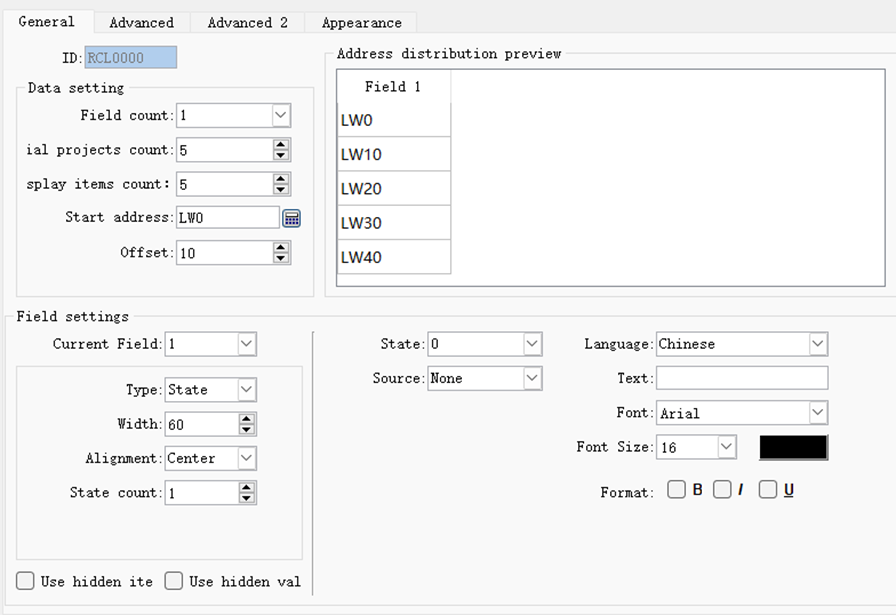
- Data settings
Total Fields: Number of Table Columns
Initial total number of items: the initial total number of rows in the table
Number of items displayed on a single page: the number of rows displayed on a single page
Start address: the address corresponding to the first element of the table
Address offset: The address offset of each row of the column
- Address preview
Display the address distribution corresponding to the table
- Field settings
Current Field: Current Column
Field type: including State, String, Numeric
Field Width: Column Width
Alignment: Alignment of column elements
Total number of states: The total number of states of the column element
� Advanced
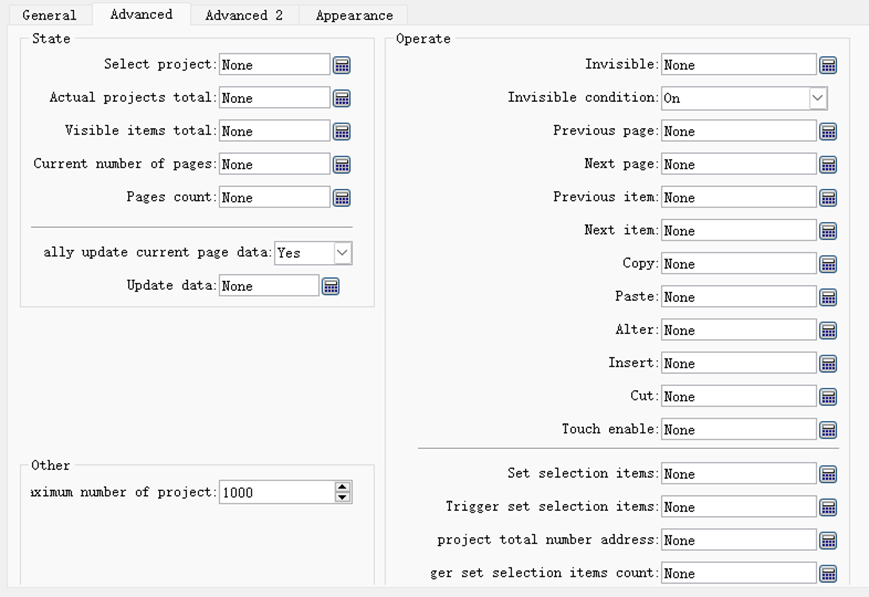
- status
Selected Items: Selected Elements
Actual total number of items: the actual total number of elements
Total Visible Items: Total number of visible elements
Current page: current page number
Total Pages: The total number of pages
Automatically update current page data: Yes: Automatically update; otherwise, it is controlled by setting address
Update data: set update address
- Operation
Invisible bit: Set the data to be invisible
Invisible level: Conditions for the invisible position to take effect
Previous page trigger address: Jump to previous page
Next page trigger address: Jump to the next page
The trigger address of the previous item: select the previous one in this column
Next trigger address: select the next one in this column
Copy trigger address: Copy current item
Paste trigger address: Paste data
Replace trigger address: Overwrite the pasted data to the current item
Insert trigger address: Insert an item in the current item
Cut trigger address: cut data
Touch protection bit: touch protection
Set the address of the selected project: set the project to be selected
Trigger setting selection item: Trigger setting selection item takes effect
Address to set the total number of items: Set the total number of items
Total number of trigger setting items: The total number of trigger setting items takes effect
� Advanced two
The temporary storage area is a buffer area that can be used
for elements to temporarily store data. Data in the buffer can be inserted,
added and written to selected items, And the data in the selected item can also
be read into the buffer.
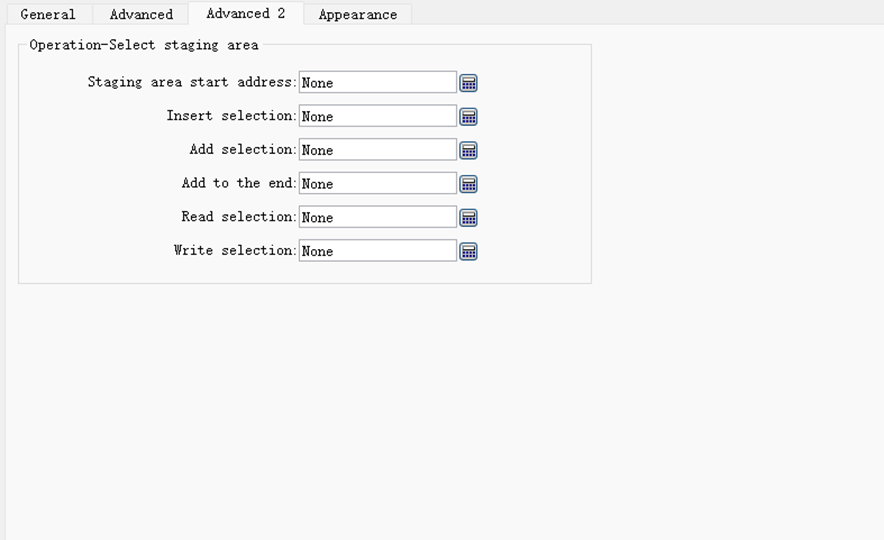
- Staging area
� Start address: Set the start address of the temporary storage area
� Insert selected item bit: When it is On, insert the data in the buffer (its address: buffer start address + item address offset) into the selected item, and the actual number of items will increase by 1 . If the actual number of items has already reached the maximum, the selected item cannot be inserted.
� Add selected item bit: When it is On, the data in the buffer (its address: buffer start address + item address offset) is added to the selected item, and the actual number of items will increase 1. If the actual number of items has already reached the maximum, the selected item cannot be inserted.
� Add to the end: When it is On, add the data in the buffer (its address: buffer start address + item address offset) to the end, and the actual number of items will increase by 1. If the actual number of items has already reached the maximum, the selected item cannot be inserted.
� Read selected item: When it is On, read the content of the selected item into the buffer (its address: buffer start address + item address offset)
� Write selection item: When it is On, write the buffer data (its address: buffer start address + item address offset) into the selection item
� Appearance
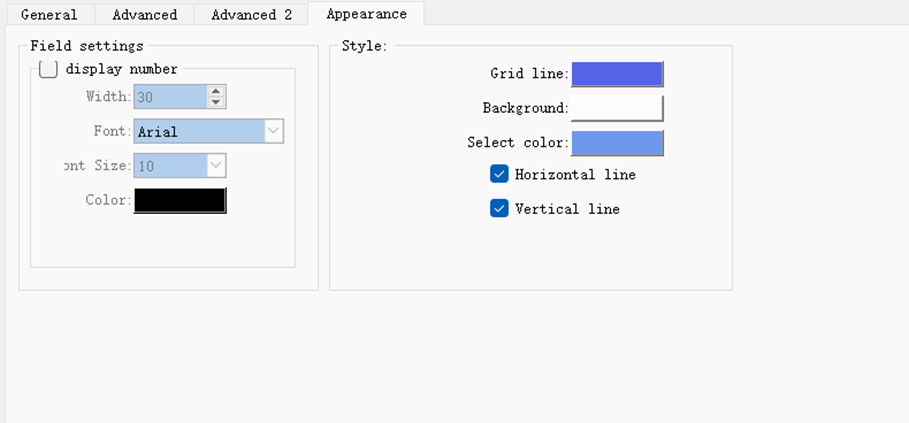
- Field settings
Set the form number, etc.
- style
Set the grid line, background color, background color when selected, etc.