


Use macro function to program
Use script function to program
This section will introduce the basic functions of script and describe the relevant control functions and application method briefly.
There are ways to access script :
Method 1: select “Setting (S) -> Macro" from the menu as shown in Figure 5-1 (script menu), and pop up interface as shown in Figure 5-1(script editor).
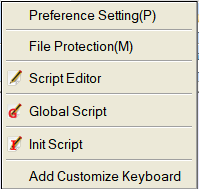
Figure 5-1 (Script Menu)
Method 2: click shortcut button “script ” as shown in Figure 5-2 (script button), and pop up interface as shown in Figure 5-3 (Script Editor).
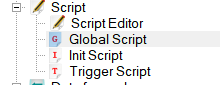
Figure 5-2 (Script Button)