


1. Page setting
To set the page format for project print output, follow these steps:
- Click the "Page Setup" button in the "Print" section of the "File" menu.
Complete the following settings in the page settings window.
Set the paper type. Commonly used papers include ISOA4 and JISB5.
Set page margins. On the right side, simple effects can be previewed, and detailed effects can be viewed in the "Preview" section.
Set the arrangement direction. Vertically, the long edges of the paper are arranged from top to bottom, while horizontally, the short edges are arranged from top to bottom. You can also preview the effect.
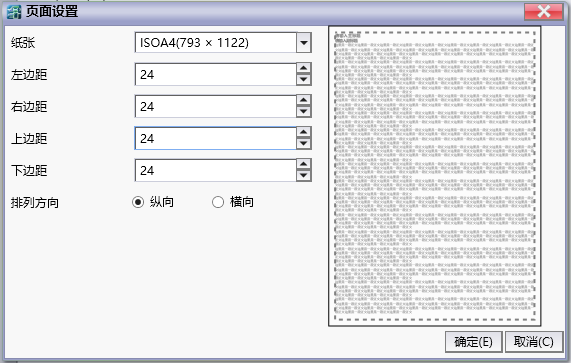
图1 Page setting window
อ่านเพิ่มเติม
อุปกรณ์ที่ใช้กับคู่มือนี้
2 รายการ

