


1. Check PLC version massage
check PLC version through below method:
- In the“TOOL”(Tool) menu bar,“super operation”(Superior operation)function zone,chick “get PLC version”(Get PLC Version)。
You can obtain the version and text prompts of the PLC.
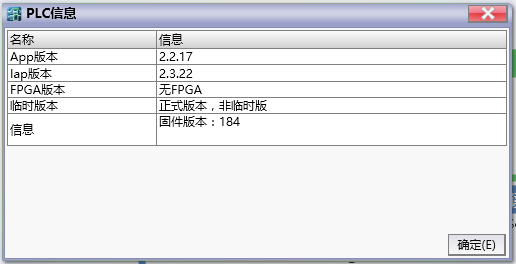
图1 PLC version window
อ่านเพิ่มเติม
อุปกรณ์ที่ใช้กับคู่มือนี้
2 รายการ

