


1. Protect one or more programs
Password verification can be used to protect the program and allow others to open and view it.
The folder and subfolders where the program is saved can be password protected by the following steps.
In the Engineering Explorer, select a folder and right-click on the menu to choose "Properties".
Pop up the attribute settings window, check "Enable folder password", enter the folder password and confirm again. Click 'OK'.
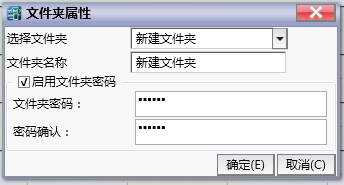
图1 Folder Properties
The password set will take effect the next time the contents of this folder are opened.
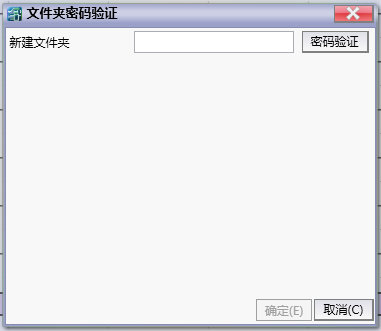
图2 Password Verification
อ่านเพิ่มเติม
อุปกรณ์ที่ใช้กับคู่มือนี้
2 รายการ

