


1. Call subroutine
After inserting a new subroutine and defining parameters (if any) in its parameter table, the caller can add the CALL instruction to call this subroutine. (You can call a subroutine from the main program, another subroutine, or an interrupt program. You can also call a subroutine from the subroutine itself.)
1.1. Add CALL instruction#
Add the CALL instruction to the program editor by performing one of the following actions.
Enter the name of the CALL subroutine, press Enter or click OK with the mouse.

Double click on the program editor, find the program control group in the output instruction group of the instruction button group, and locate the CALL instruction.
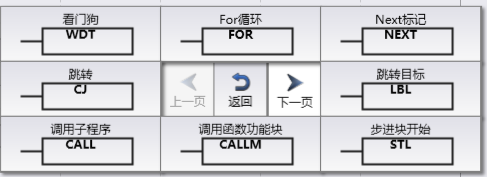
From Engineering Resource Manager ->Instructions ->Program Control ->CALL, select this option and drag it to the program editor. Enter the subroutine name later.
Select this subroutine item from the Engineering Resource Manager and drag it to the program editor.
1.2. Edit subroutine parameters#
For subroutines containing parameters, calling this subroutine requires filling in parameters. Find the CALL instruction in the program editor and click on“
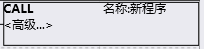
图1 click supper
Pop up the parameter transfer window and fill in the parameters in the "Value" column of the table.
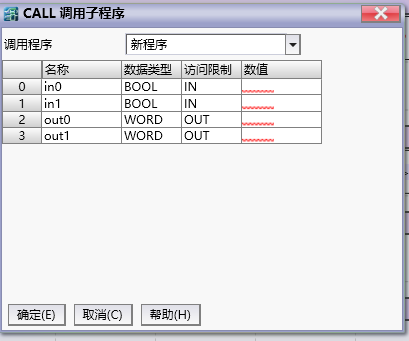
图2 configure 1.1 fulfil parameter
อ่านเพิ่มเติม

