


1. Main window
ในหน้านี้5 หัวข้อ
1.1. Screen area and elements#
The software user interface provides multiple windows for arranging, programming, and monitoring. Please note that each window can be parked, floated, and arranged on the screen in the way you choose. You can display each window separately, or merge multiple windows to access each window from a separate tab.
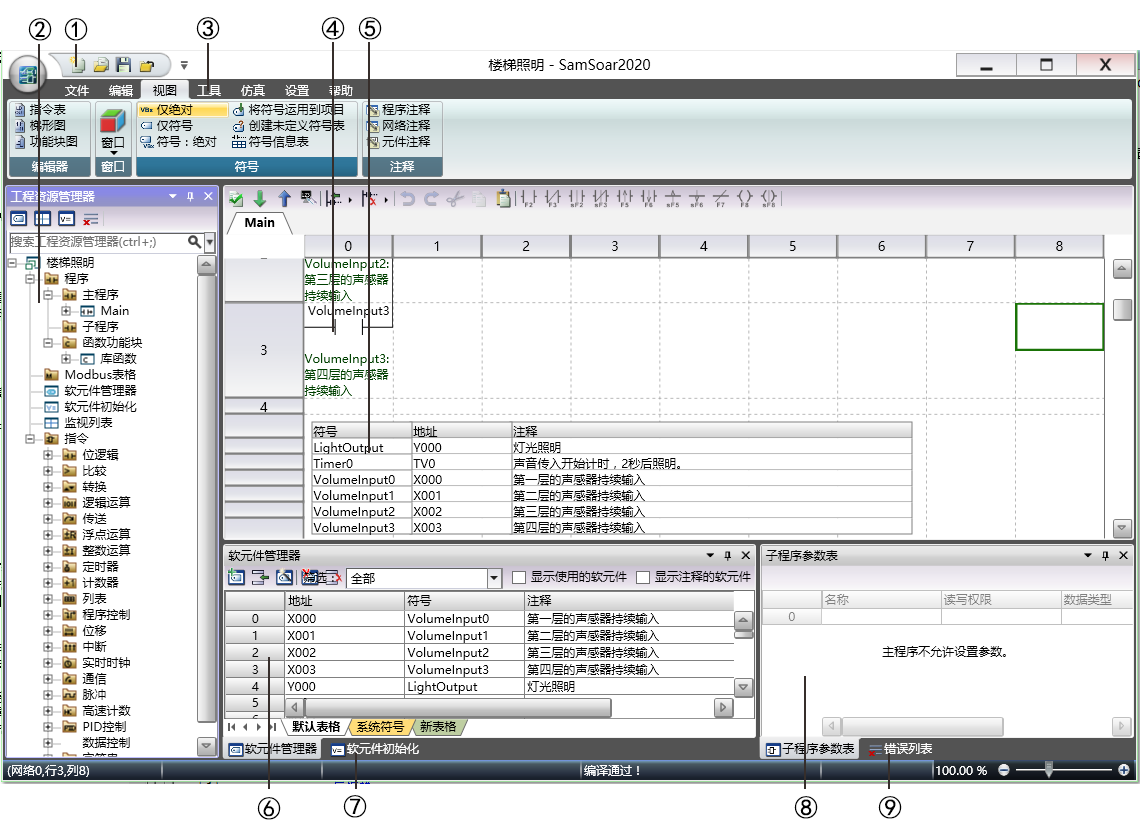
图1 Main window
① : Quick Access Toolbar
② Engineering Resource Manager
③ : Menu
④ : Program Editor
⑤ Symbol Information Table
⑥ : Software Component Manager
⑦ Initialization of software components
⑧ : Subroutine parameter table
⑨ : Error List
1.2. Menu function zone#
Software displays the menu ribbon for each menu. You can minimize the menu ribbon by right clicking on it and selecting 'Minimize the Ribbon' to save space. Double clicking on the menu ribbon can also achieve the same effect.
1.3. Move window#
To move a window, click on the window name or the horizontal area it is in, and then start dragging. When moving, you will see locator symbols that can help you dock the window to the left, right, top, or bottom of the current window. Left, right, up, and down locator symbols can also be used in the SamSoar2022 user interface. You can use these symbols to park the window in one of the four areas of SamSoar2022. When moving a window through the locator symbol, SamSoar2022 will indicate the position of the window when dragged and dropped to that position with a shadow. You can also drag and drop the window separately to any floating position.
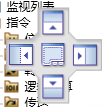
图2 Locator
1.4. Display multiple windows in tab format#
To display multiple windows in the form of a single window tab, you should drag the window onto another window. SamSoar2022 then merges these two windows, with each window corresponding to a tab. The following example displays the tabs of the following window combinations:
Software Component Manager
Software component initialization
Monitoring List
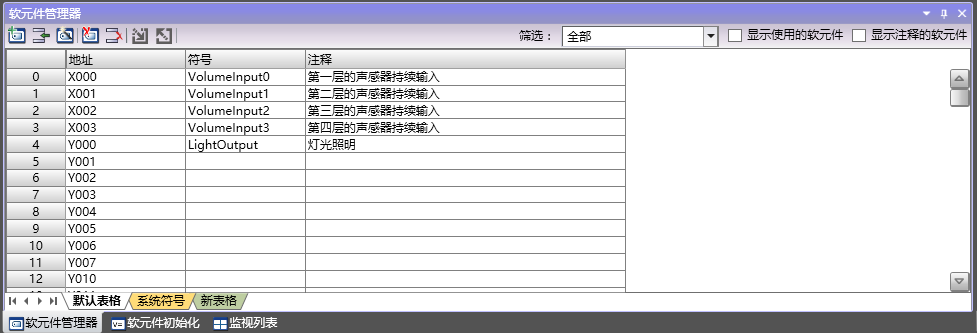
图3 Tab
1.5. Layout memory#
Software will remember the layout of the previous conversation and restore the window that was already opened in the previous position.
Opening programs in different formats and monitoring programs are separate layout memories.
อ่านเพิ่มเติม

