


1. How to correct compilation and download errors
1.1. Introduction#
The error list window automatically displays compiler information and error messages at any time when you compile the program.
Messages typically contain the following information:
*Error description, error level (error, warning, prompt)
*Error occurred at program location (network, row, column)
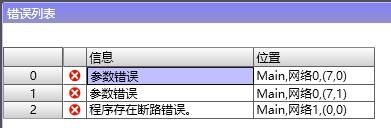
图1 Error list
1.2. Steps#
Double click on the error message, navigate to the location of the error in the program editor, and provide a prompt.

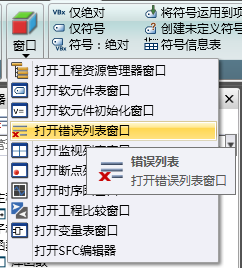
If the error list has been closed, you can re display the window by selecting "Error list" from the "Windows" area of the "View" menu ribbon:
อ่านเพิ่มเติม
อุปกรณ์ที่ใช้กับคู่มือนี้
2 รายการ

