


Encrypt Screen
Screen encrypt
Screen encryption can be used to encrypt the screens and windows in the configuration to prevent the content from being tampered with and play a protective role. Methods as below:
Right-click the selected screen/window node, and click "Screen/Window Encryption".
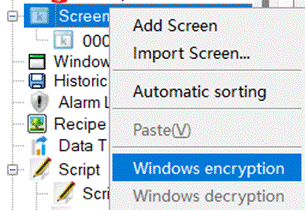
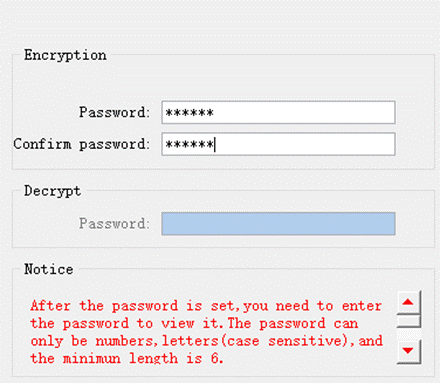
The password setting interface will pop up, and set the password according to the prompts.
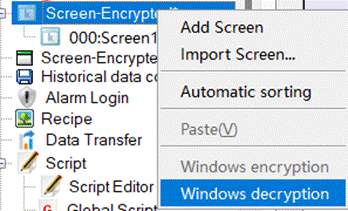
If you need to decrypt, please right-click the encrypted screen/window and click "Decrypt Screen/Window".
อ่านเพิ่มเติม
อุปกรณ์ที่ใช้กับคู่มือนี้
2 รายการ

