


Macro instruction function encryption steps
ในหน้านี้3 หัวข้อ
The configuration software provides macro instruction encryption/decryption function, which enables users to protect their own private special functions. Even if others have configuration programs, they still cannot view the contents of macro instruction functions without the macro instruction password.
This chapter introduces the steps to use this function.
Keywords:macro instruction encryption steps,macro instruction function decryption steps, macro instruction function password modification steps,precautions
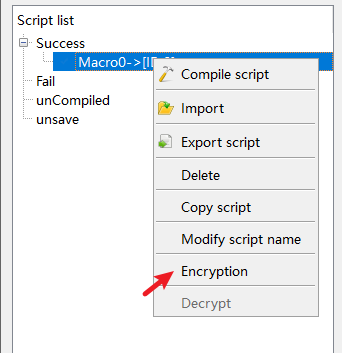
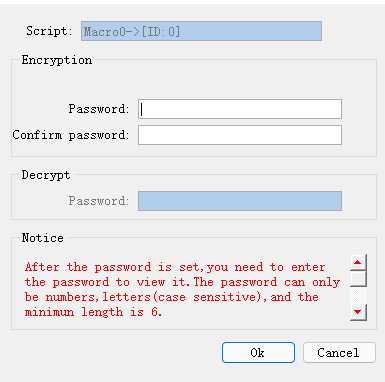
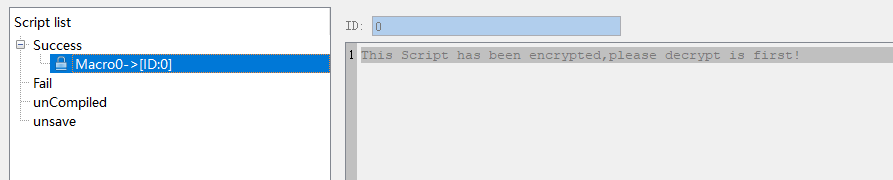
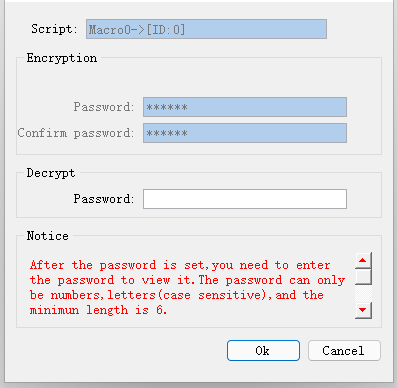
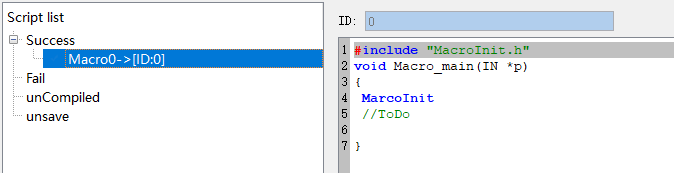
Select the macro to be encrypted, right-click to select the "Encrypt" function, and set the password according to the prompts
Macro instruction function decryption steps#
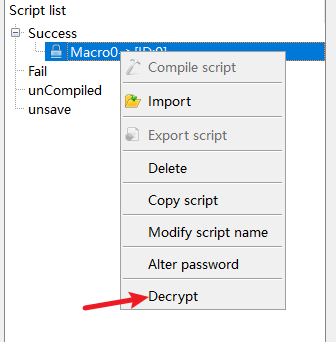
Select the macro to be decrypted, right-click to select the "Decrypt" function, and enter the password set during the encryption process according to the prompts
Steps for modifying password in macro function#
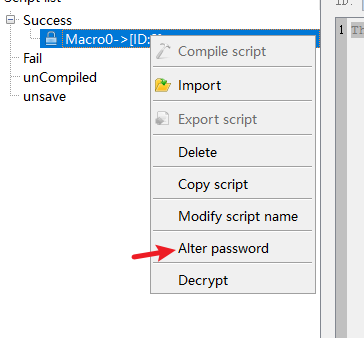
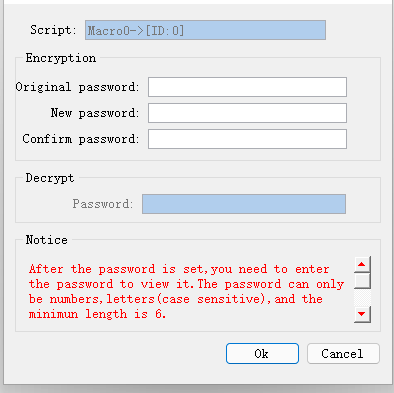
Select the macro command that needs to change the password, right-click to select the "change password" function, enter the old password according to the prompt, and set the new password
Precautions#
When the encrypted macro function is exported, the corresponding password will not be exported. When the macro is imported to other projects, it needs to be encrypted again.
อ่านเพิ่มเติม

