


Create sub-script
Create a sub-script
Sub-script can only be called by macro instructions and cannot be used alone like macro instructions. The main purpose of using sub-scripts is to achieve code modularization and improve code reusability. Users can split the entire code logic into several sub-scripts and then call them in regular macro instructions. To create them Please follow the steps below:
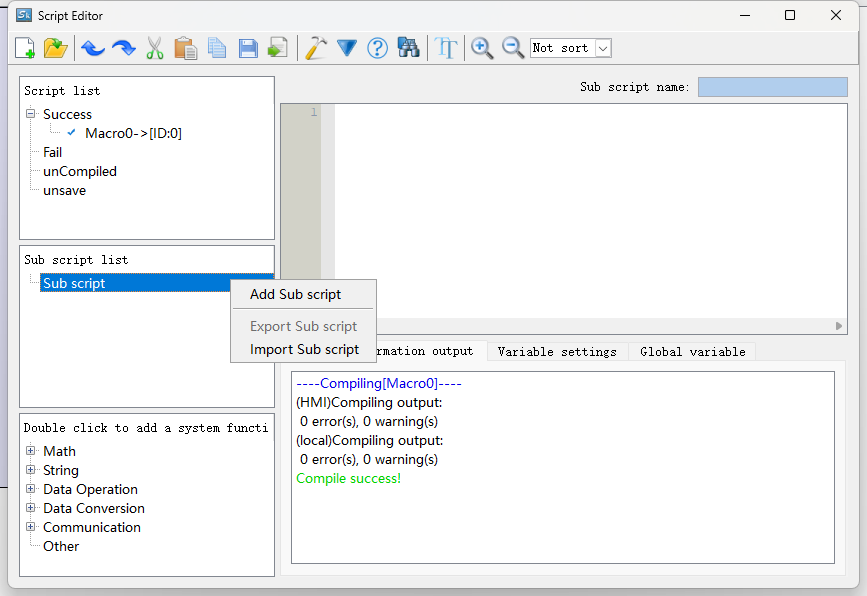
1. Select the Sub script under the program list and click Add Sub script in the right-click menu.
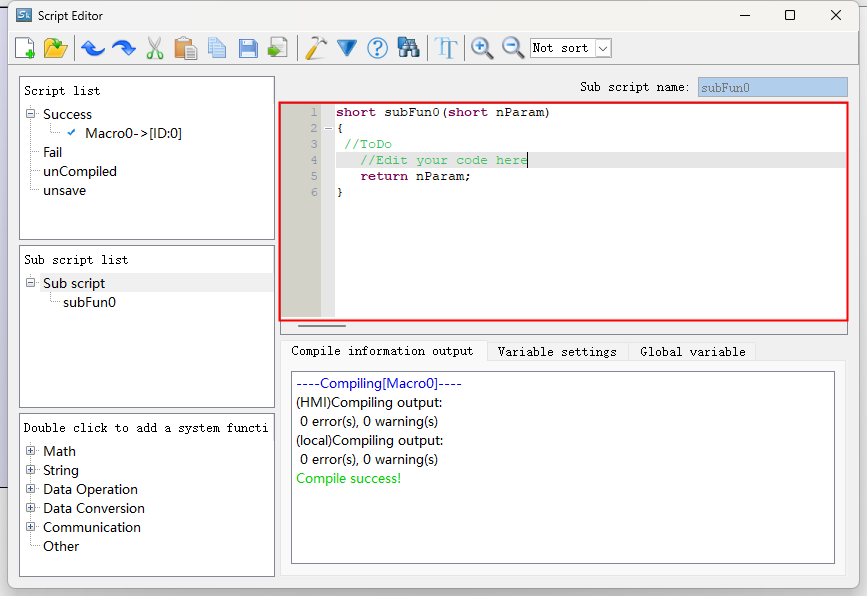
2. Edit the code of Sub script
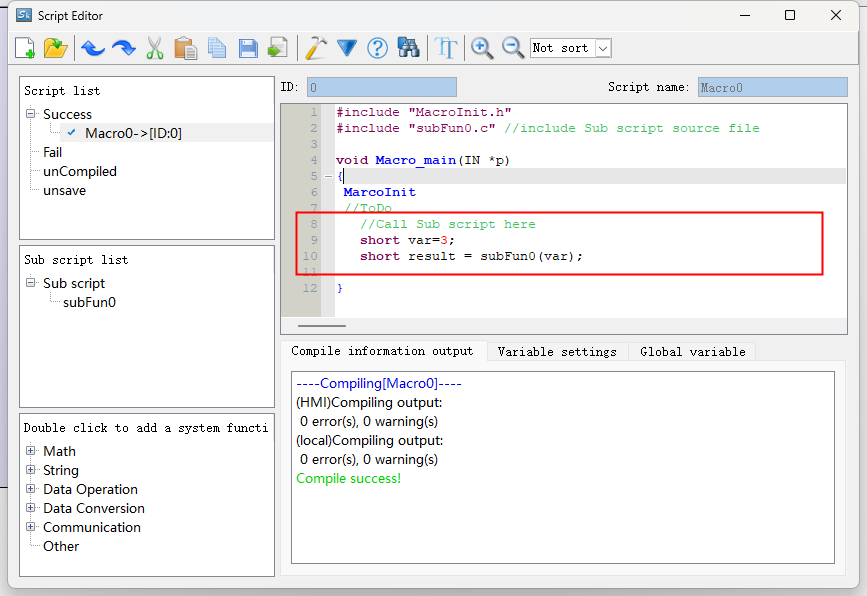
3. Call Sub script in regular scripts
อ่านเพิ่มเติม
อุปกรณ์ที่ใช้กับคู่มือนี้
2 รายการ

