


Remote case
1.Remote setting
SK The following type of touch screen supports remote function:SK-070GG, SK-070GW, SK-070MG, SK-070MW, SK-102CG, SK-102CW,浠�SK-070GW connection Modbus RtuEquipment is an example,The configuration of the configuration process is consistent with the touchscreen configuration, which focuses on remote configuration production, creates a good configuration project, and sets the following options:
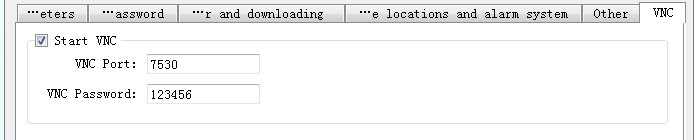
VNC setting
Touch screen parameter Settings-->VNC setting.Set the VNC function, note: the port number is fixed with 7530, password: free setting
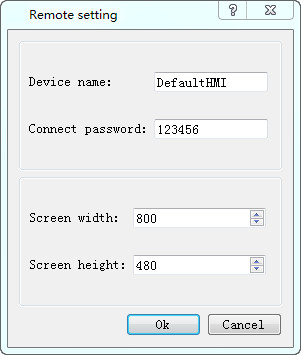
Remote setting
remote-->Remote Settings. Set the remote display device name and connection password
2.Set up the configuration interface
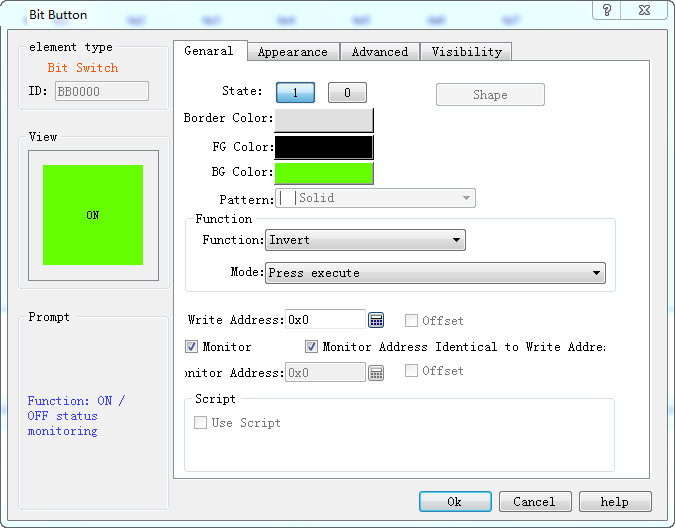
Place the button control, set the background color in different state:0x (red)1 (green),Function: alternate,Set the register address 0x0,Using multiple replication capabilities,The address is 1.Copy 8 buttons,As shown below:

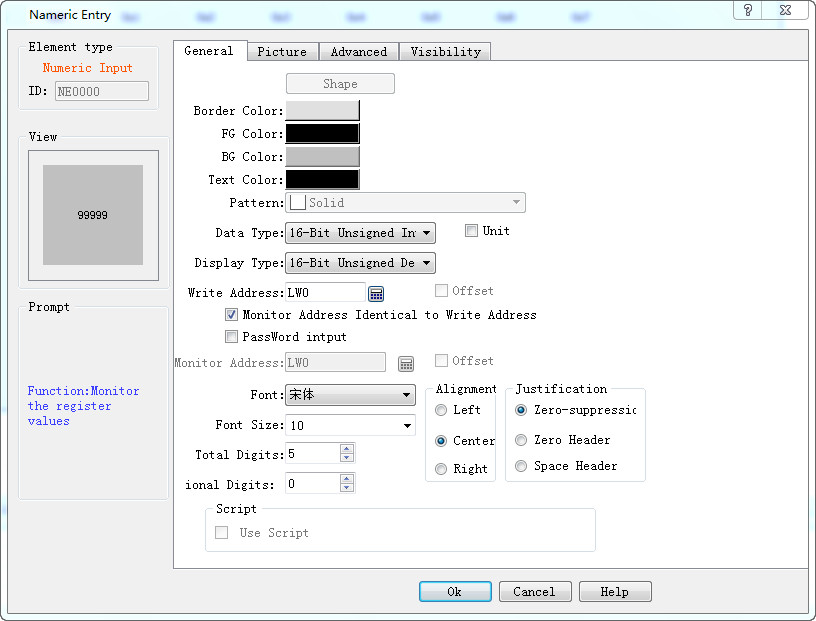
The same step,Place the lw0~ ~ lw7 total 8 number input control

Set alarm information,The current remote only supports the discrete alarm,And you have to check the upload server,So we create the discrete alarm here
Create the address alarm message,Address 0x0,The number of consecutive Numbers,On alarm,And then when you click on that,Create 8 alarm information,Modify each alarm information,Alarm color,As shown below,
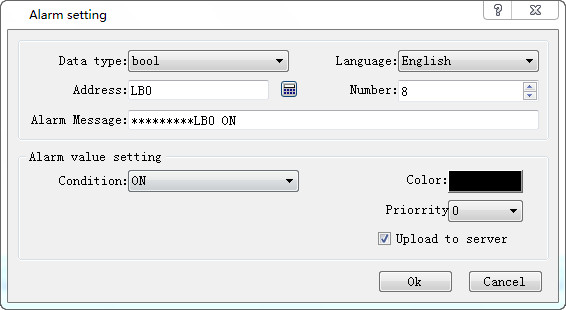
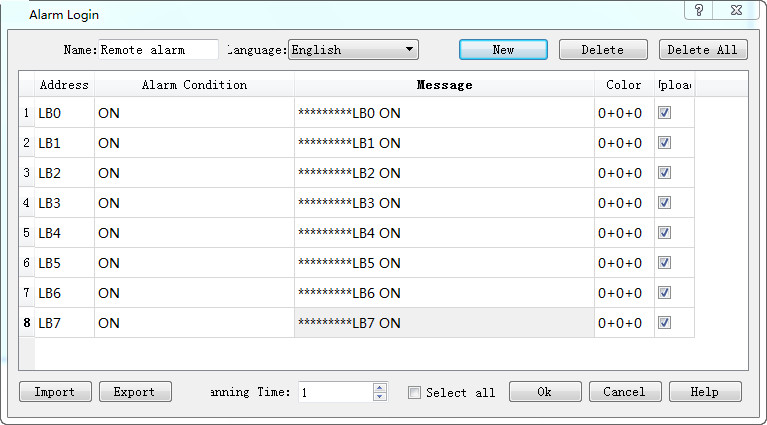
The same step is shown in the lw0~ lw7 address alarm
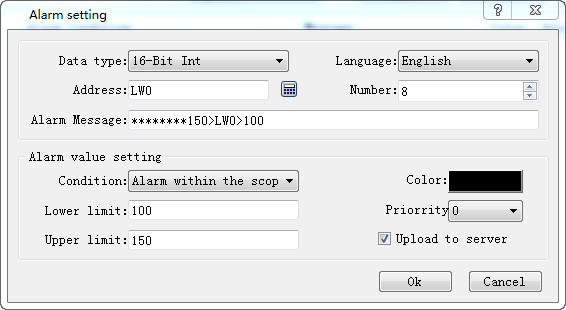
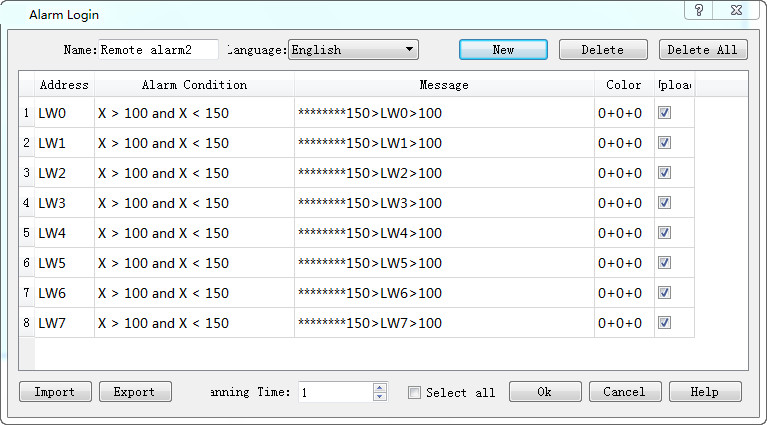
Create a macro instruction that sets the current value of the 4x0 at the current value of the 4x0, setting the trigger of the set, as shown below:
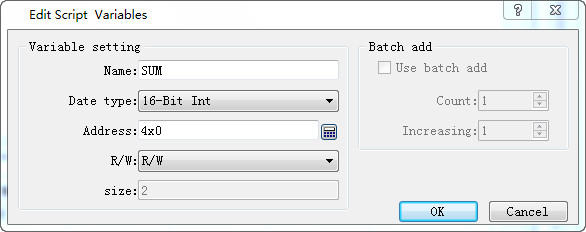
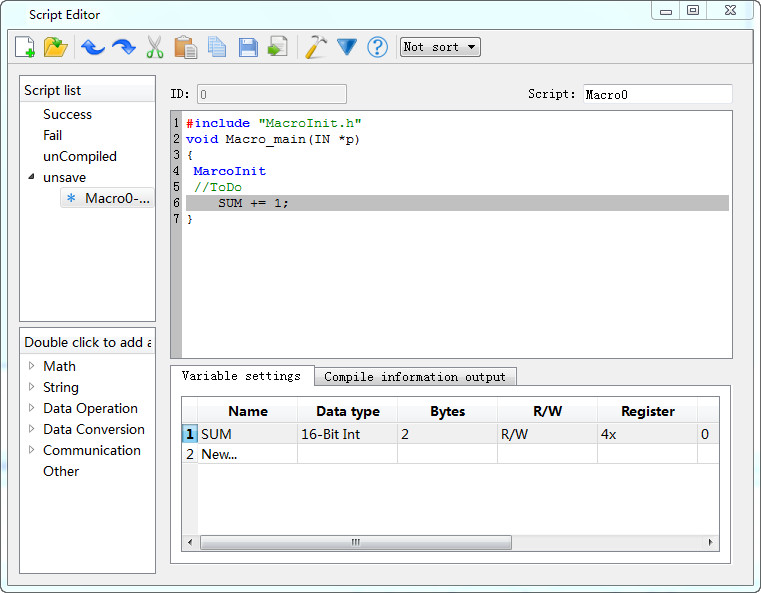
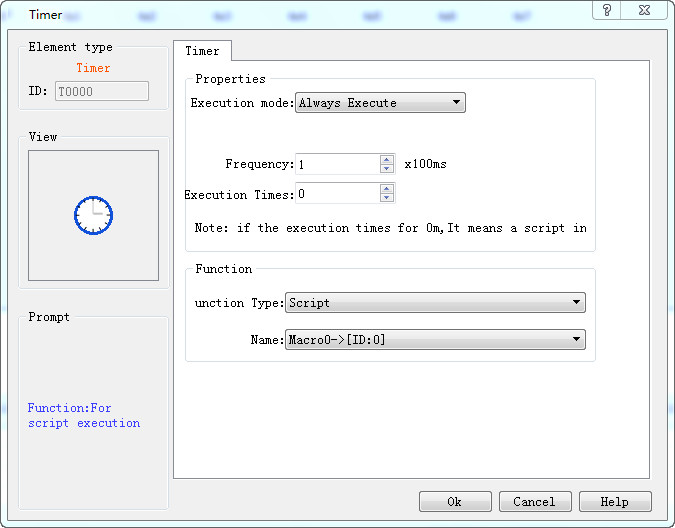
3.Remote connection
อ่านเพิ่มเติม

