


Upload configuration engineering
Upload projects from HMI
SKTOOL software supports uploading configuration program from the HMI to the hard disk. Connect HMI to PC; select the option of "Upload project file" in the pop-up dialog box, and then the user interface of "Upload Samdraw file" will appear.
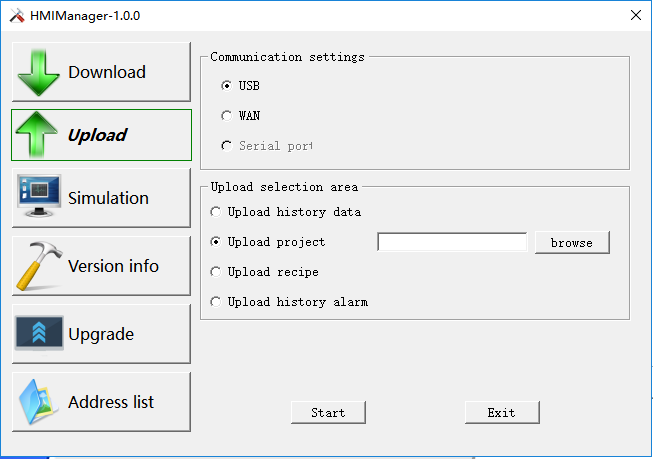
l File Path: Click "Browse" to select the file in which you want to save the path.
l Project Name: Set the name of the project.
l Start uploading: Click Upload file to start.
After the success of the uploading, you can choose whether to open the project file.

It needs to extract the uploaded file before open it.
อ่านเพิ่มเติม
อุปกรณ์ที่ใช้กับคู่มือนี้
2 รายการ

