


1. Write real-time clock TWR
ในหน้านี้6 หัวข้อ
1.1. Instruction Description#
The instruction writes the current time and date to the hardware clock, which is stored in an 8-byte time buffer starting at address T. Among them, the year is represented by 2 bytes.。
Please use edge signal triggering for this instruction
| T (Dn-Dn+7) | Description | Data |
|---|---|---|
| 0 | Year (2000-2099) | Current Year |
| 1 | Month (1-12) | Current month |
| 2 | Date (1-31) | Current Date |
| 3 | Hour (0-23) | Current Hour |
| 4 | Minutes (0-59) | Current minute |
| 5 | seconds (0-59) | current second |
| 6 | 00 | Reserved |
| 7 | What day of the week (0-6) | The current day of the week, 0=Sunday |
1.1.1. Setting and using BCD format#
1) In 【 Project Settings 】=>【 Other 】=>【 Real time Clock Detection 】, select 【 BCD Code 】.
(2)Under this setting, the data of the TWR instruction will be represented in BCD code format. For example, 2020 will be represented as hexadecimal H2020.
1.1.2. Attention:#
- Our HMI+PLC All-in-one could not use the function below
1.2. The valid operands of the instruction#
| Input/Output | Data Type | operand | Description |
|---|---|---|---|
| D | 16 bit integer | D | Time |
1.3. Example (decimal format)#
Command table
NETWORK 000
LD X000
ANDP M1021
MOV K2020 D0//Year, D0=2020
MOV K5 D1//Month, D1=5
MOV K1 D2//Date, D2=1
MOV K12 D3//hour, D3=12
MOV K30 D4//minute, D4=30
MOV K20 D5//second, D5=20
MOV K0 D6//Reserved, default to 0
MOV K5 D7//Friday, D7=5
TWR D0//Write the current time and date stored in D0~D7 to the hardware clock
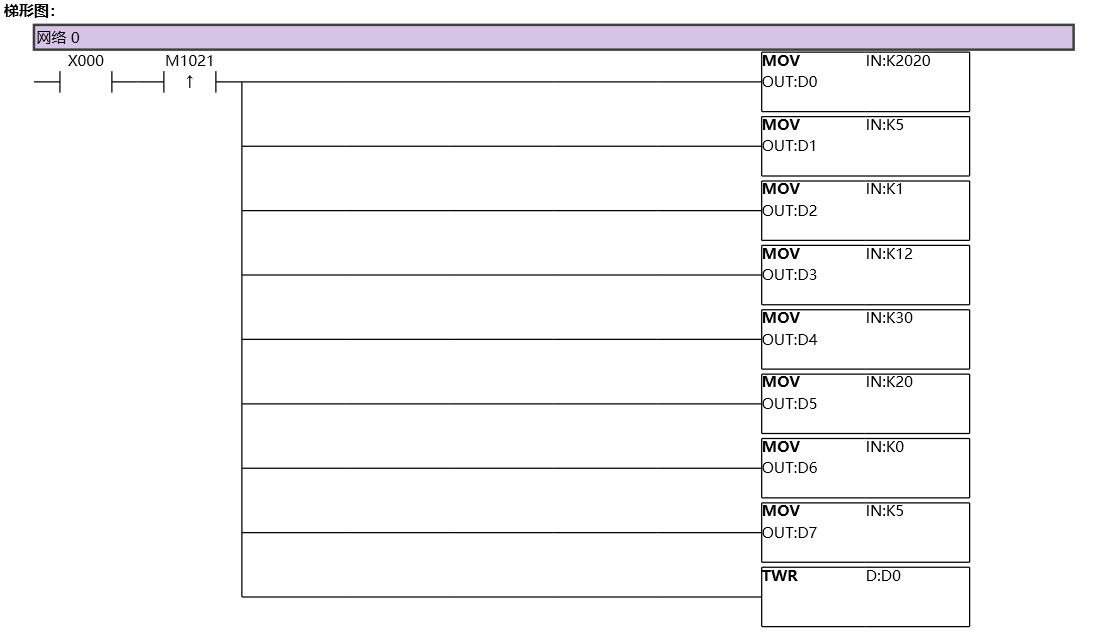
图1 TWR11
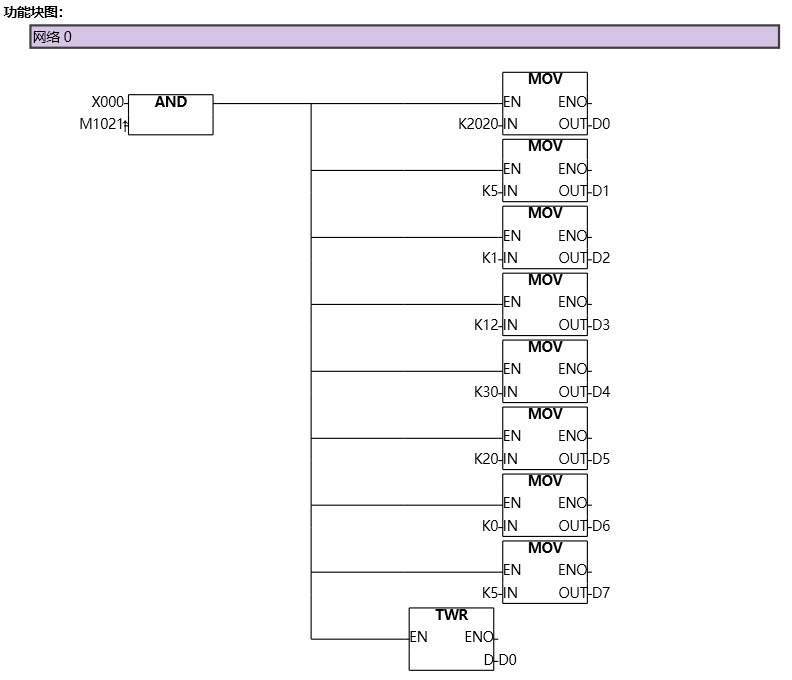
图2 TWR12
1.4. Example(BCD format)#
Command
NETWORK 000
LD X000
ANDP M1021
BCD K2020 D0//Year, D0=2020
BCD K5 D1//Month, D1=5
BCD K1 D2//Date, D2=1
BCD K12 D3//hour, D3=12
BCD K30 D4//minute, D4=30
BCD K20 D5//seconds, D5=20
BCD K0 D6//Reserved, default to 0
BCD K5 D7//Friday, D7=5
TWR D0//Write the current time and date stored in D0~D7 to the hardware clock
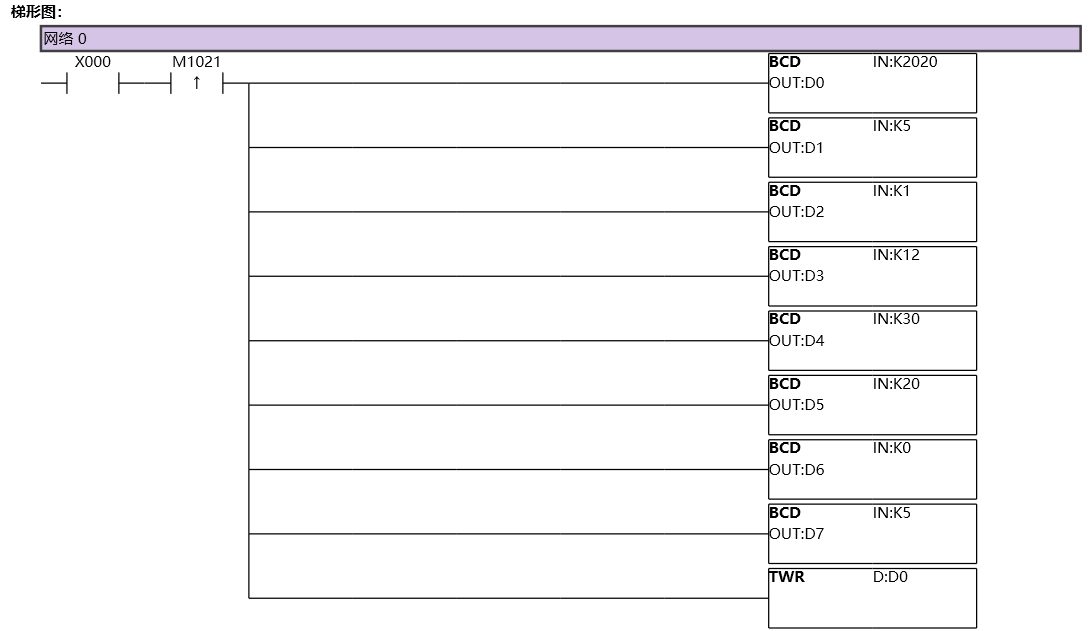
图3 TWR21
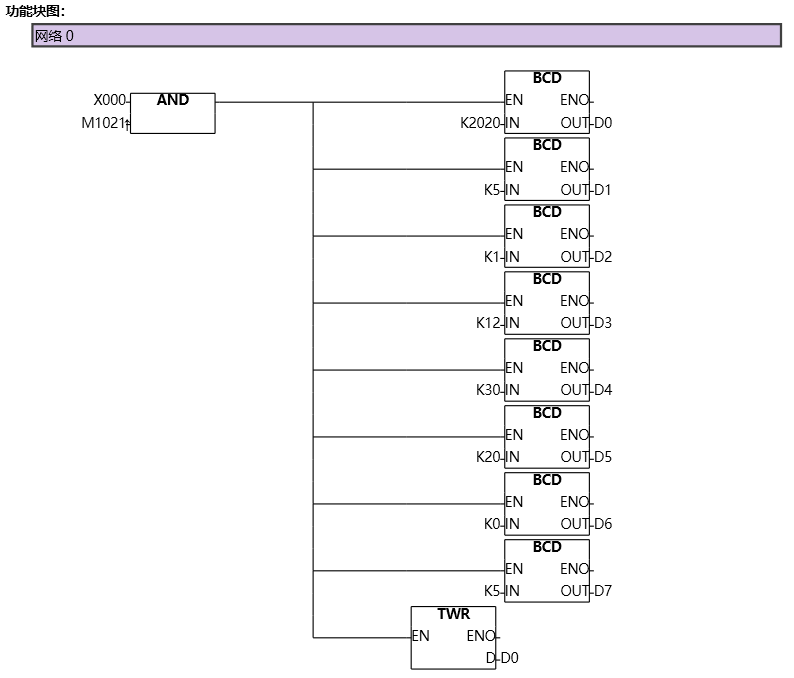
图4 TWR22
อ่านเพิ่มเติม

