


1. Convert Double word integer to a string DI_S
ในหน้านี้4 หัวข้อ
1.1. Instruction Description#
Convert the input Double word integer (IN) into a 12 byte string starting from the address (OUT) according to the format mask (FMT). The last 13th byte is represented by a 0 indicating the end bit.
Format Mask (FMT) assigns precision after decimal point and whether to use dots or commas to represent decimal points.
The length of the output string is always 12 characters. The number of decimal places to the right of the output buffer is specified by the nnn field. The valid range for the nnn field is 0 to 5. If a zero digit is assigned to the right of the decimal point, the value will not display the decimal point. For values greater than 5, output as a string consisting of 12 ASCII space characters. Specify whether to use a comma (c=1) or a decimal point (c=0) as the separator between integers and decimals. The top 4 digits of the format must be zero.
The following figure also provides an example of a value in the format of using a decimal point (c=0) with four digits to the right of the decimal point (nn=100). The value at OUT is the length of the string stored in the next byte address.

图1 Exchange example
1.2. Attention#
a) The OUT string (including the generated end bit) will overwrite all data of the original software component.
b) The encoding of the string is ASCII (ISO/IEC 646), please do not use other encoding methods such as UTF-8, Unicode, etc.
1.3. The valid operands of the instruction#
| Input/Output | Data Type | operand | Description |
|---|---|---|---|
| IN | 32-bit integer | D/CV/K/H/FD, bit composite word (X/Y/M/C/T/S), local variable (LD) | input |
| FMT | 16 bit unsigned integer | D/CV/TV/AI/AO/K/H/V/Z/FD, bit composite word (X/Y/M/C/T/S), local variable (LW) | Format |
| OUT | 16 bit unsigned integer | D/CV/TV/AO/V/Z, bit composite word (Y/M/C/T/S), local variable (LW) | output |
1.4. Example#
command table:
NETWORK 000
LDP X000//String operations are time-consuming, so try to use edge conditions to trigger them.
DI_S K123456789 H8 D10//Convert the double integer K123456789 to a string starting from D10, where c=1 (using dot notation) and nn=0 (no decimal data)
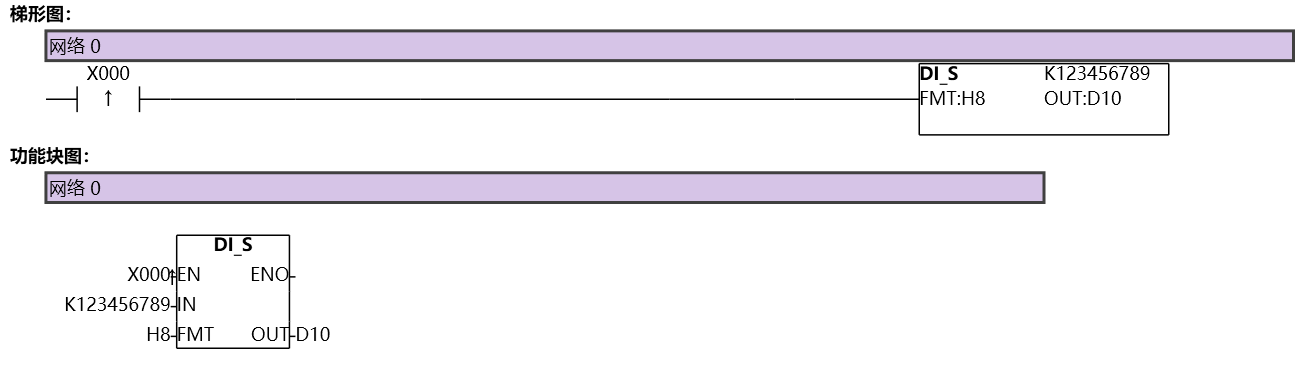
图2 DIS
อ่านเพิ่มเติม

