


1. Upper software settings
ในหน้านี้7 หัวข้อ
1.1. 1. General#
Perform routine settings on the upper software. You can set "language", "software component display", "theme style", "programming style", and "layout style".
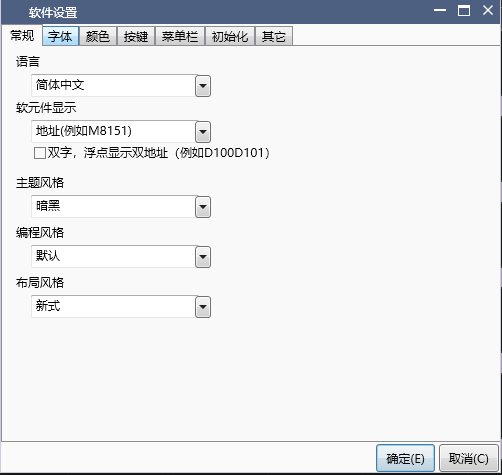
图1 General set
1.2. 2. Font#
Set the font for the specific area of the upper software.。
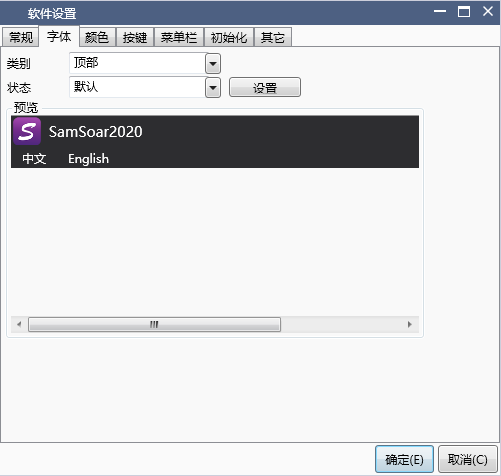
图2 Font set
1.3. 3. Color#
Set the color of the specific area of the upper software.
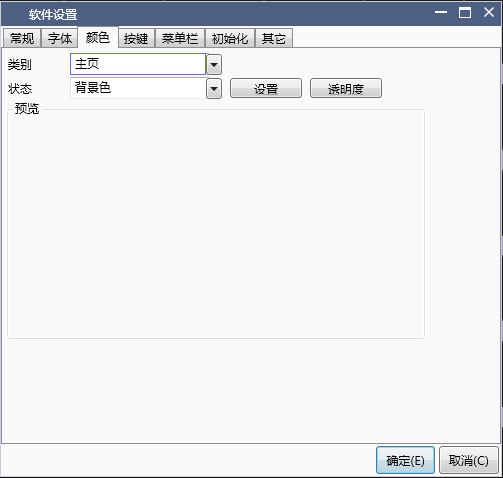
图3 Color set
1.4. 4. button#
Set the shortcut keys for the upper software。
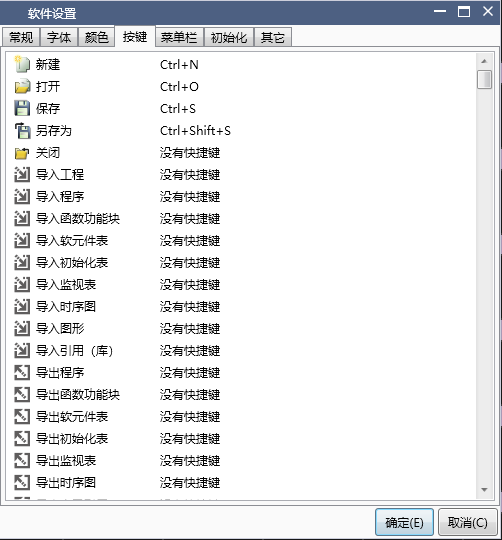
图4 Key set
1.5. 5. Menu bar#
Set the layout of the menu bar in the upper software.
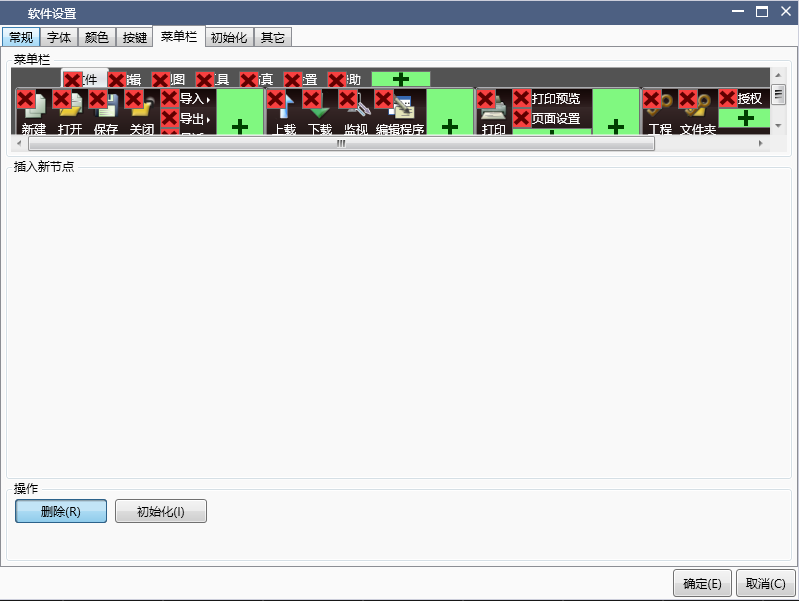
图5 Menu Bar Settings
1.6. 6. initialization#
Initialize the software components of the upper software. There are options for "communication processing" and "in program processing" respectively.
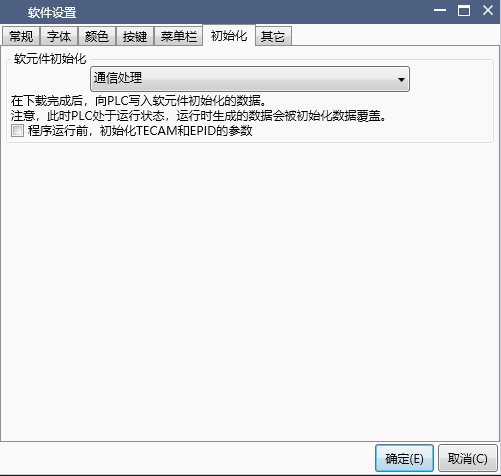
图6 Initialization Settings
1.7. 7. Other#
Make other settings for the upper software. You can set "auto save", "auto compile", "program check settings", "convenience settings", and "optimization options".
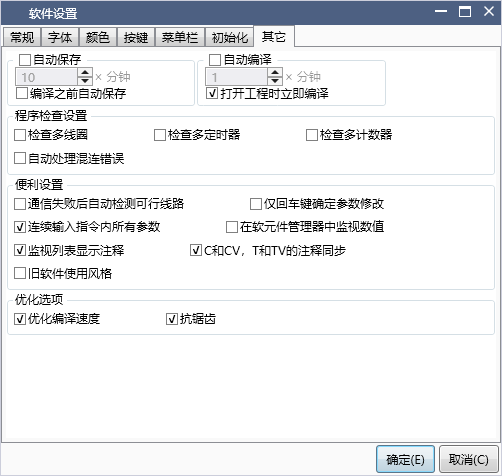
图7 Other setting
อ่านเพิ่มเติม

