


1. Component annotation
To annotate switch components, click the "Unit Comments" button in the "Comments" area of the "View" menu ribbon.
1.1. Edit comments#
Enter or edit component annotations in the area adjacent to the bottom of the component.<% AppName%>will initially display the default comment, which can be replaced.
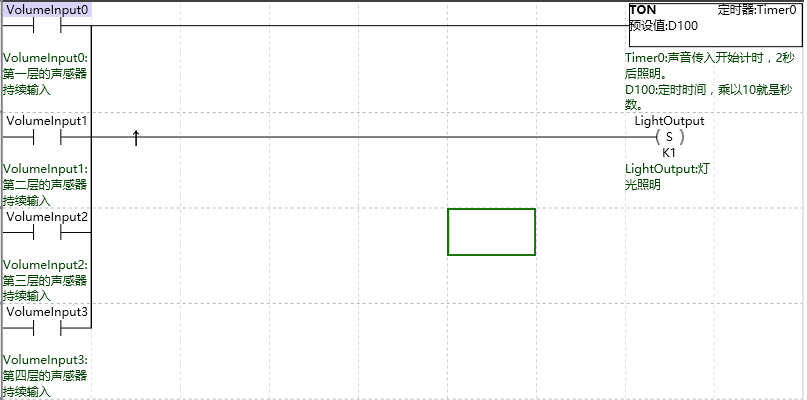
图1 Component Annotation
The length of component annotations is not limited, it is recommended to be as short as possible.
อ่านเพิ่มเติม
อุปกรณ์ที่ใช้กับคู่มือนี้
2 รายการ

