


1. Set power off hold
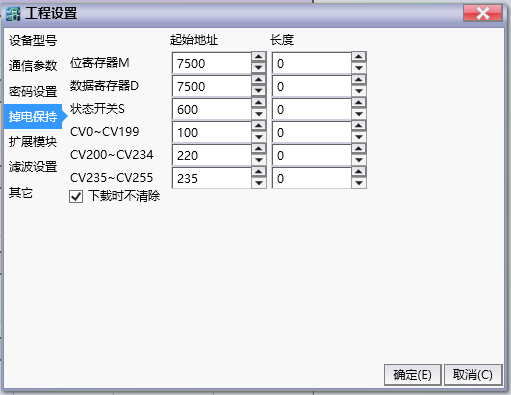
图1 Set power off hold
The maximum range of the power-off hold zone can be set to:M7488~M7999、D5952~D7999、S600~S999、CV100~CV199、CV220~CV234、CV235~CV255;
On this page, you can set the capacity of the power-off hold area. When you click on the default settings, the current settings will be cleared and the starting address of the power-off hold area will be set to the minimum value, and the length will be set to the value shown in the image.
When selecting download, do not clear the power-off hold data. When downloading the ladder diagram program, the data in the power-off hold area before downloading will not be cleared.
The power down hold function is not affected by the 'Do not clear during download' setting and always executes according to the user's set table.
อ่านเพิ่มเติม

