


1. Double click or press Enter to insert instructions in the Engineering Resource Manager
You can insert a command by double clicking it in the "Instructions" folder of the Engineering Explorer:
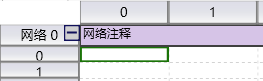
- Place the cursor at the desired position in the program editor window. A selection box will appear around that location.
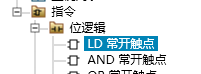
- In the "Instructions" folder of the Engineering Explorer, double-click the desired instruction or select it, and then press Enter.
After double clicking, the instruction is displayed in the program editor window.
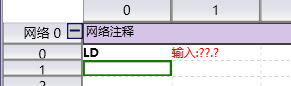
图1 insert finish
อ่านเพิ่มเติม
อุปกรณ์ที่ใช้กับคู่มือนี้
2 รายการ

