


Qrcode
Qrcode
Select the control icon on the toolbar and set its properties in the dialog box shown below:
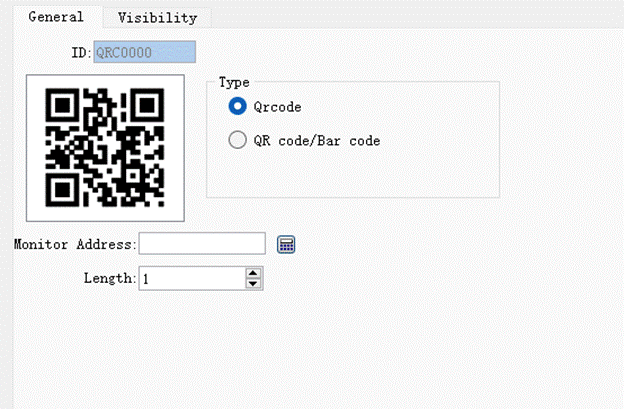
Figure 4-132 Qrcode dialog box
l Type: QR code or barcode
l Monitor Address: Address to monitor through Qrcode
l Length: The maximum length of the character that can be displayed
อ่านเพิ่มเติม
อุปกรณ์ที่ใช้กับคู่มือนี้
2 รายการ

