


Run SKTOOL
Run software
A shortcut will appear on the desktop after the installation of SKTOOL, as shown in Figure 2-17:

Figure 2-17 desktop shortcut
At the same time, program packages are added to the start menu of Windows, as shown in Figure 2-18
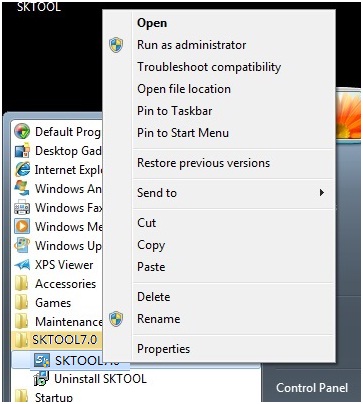
Figure 2-18 start menu program icon
Double click the shortcut on the desktop or the Start menu, click Run SKTOOL.exe SKTOOL configuration software program group, and the interface is shown as Figure 2-19:
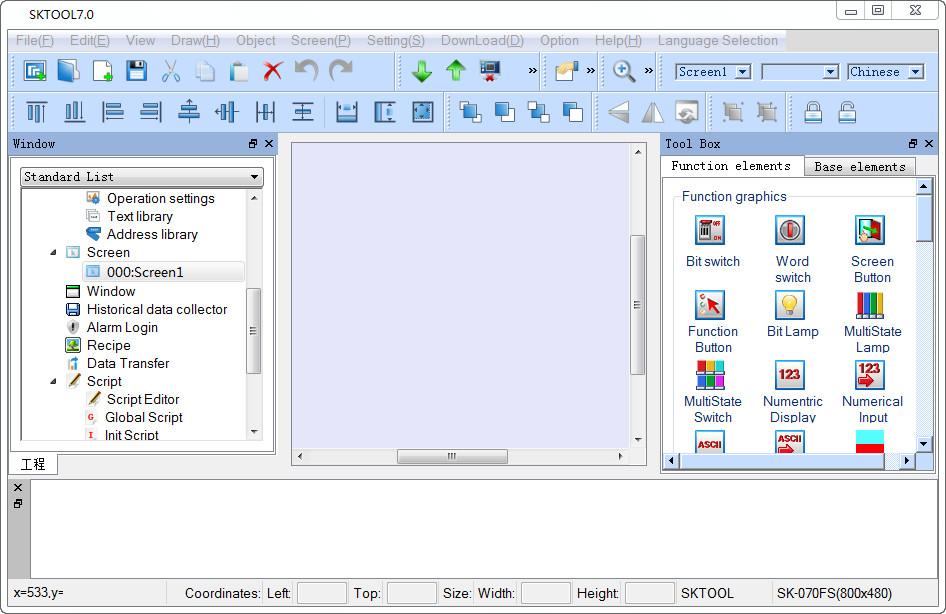
Figure 2-19 Software running interface
อ่านเพิ่มเติม
อุปกรณ์ที่ใช้กับคู่มือนี้
2 รายการ

