


1. How to edit SFC embedded programs
For an SFC program, by default, the LAD program editor will not display any content.
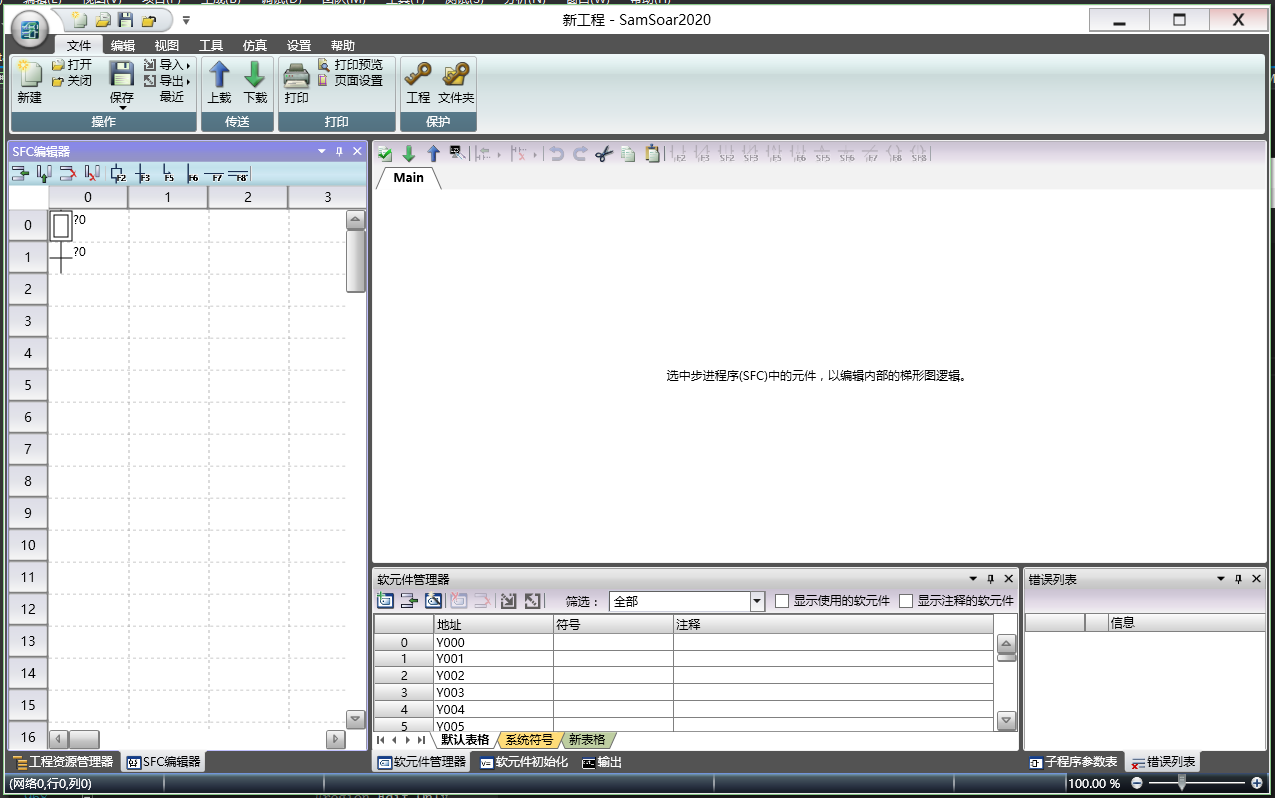
图1 LAD program editor for SFC program (default state)
Select a state or transition of SFC, display and edit the embedded program of the selected element.
We selected the initial step 0 and edited its embedded program. This embedded program only starts working when S0=ON.。
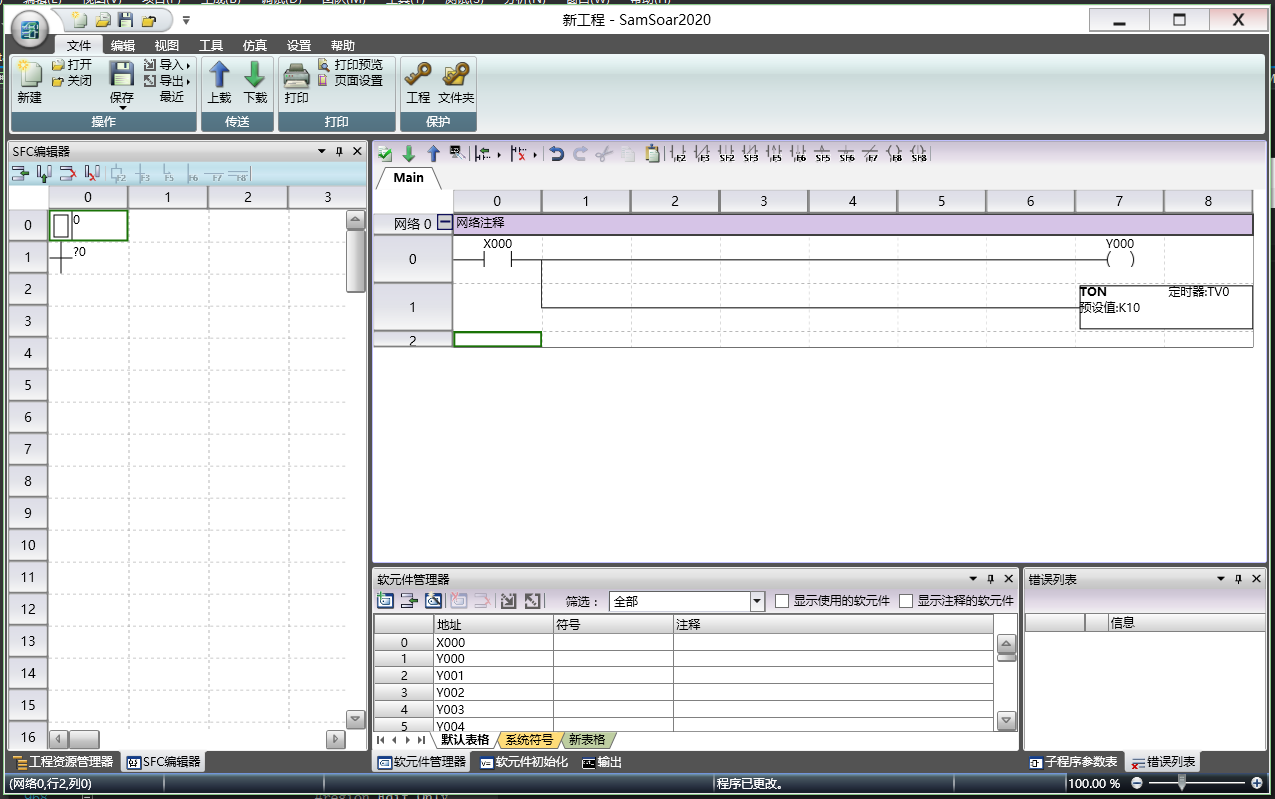
图2 LAD Program Editor for SFC Program (Edit Embedded Program)
You can also edit the embedded program of the transfer. Select transfer 0 and edit the transfer conditions.
The instruction TRAN represents a transition, and the input condition of the TRAN instruction is the transition condition.
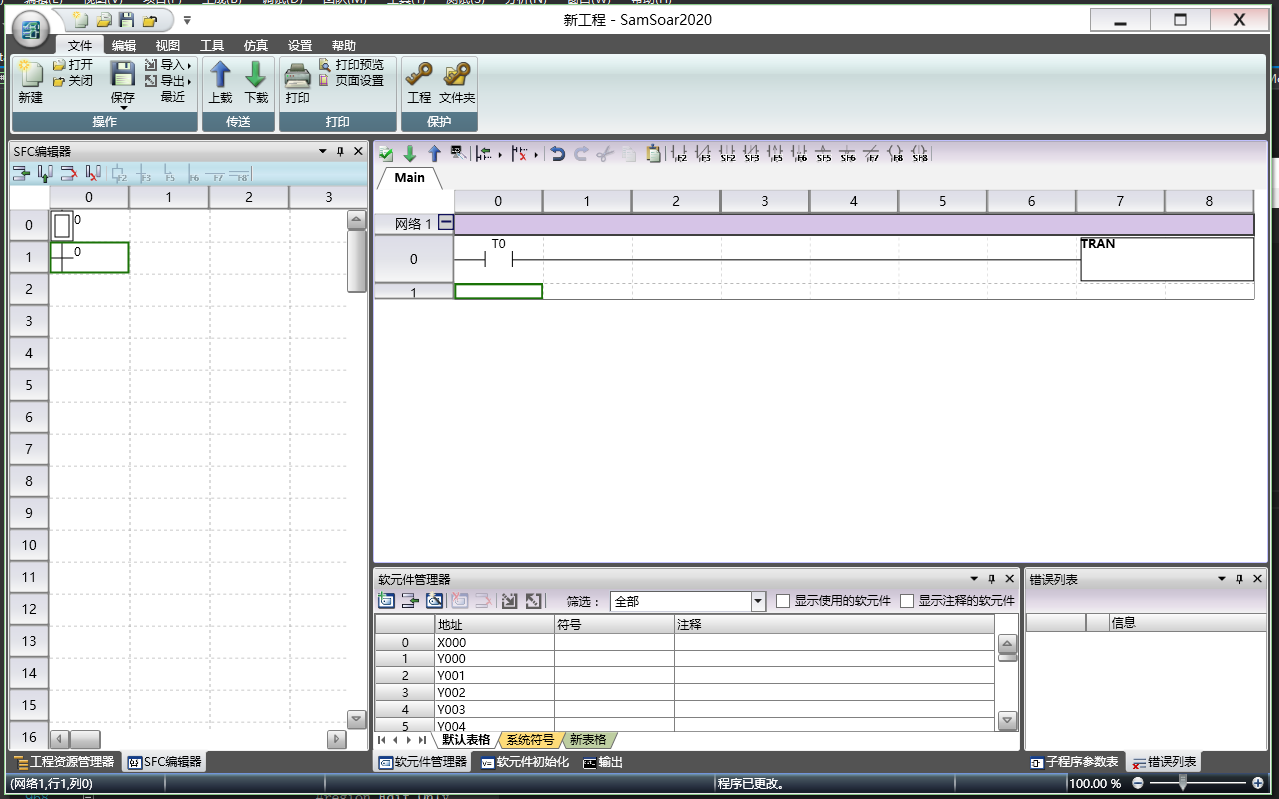
图3 LAD Program Editor for SFC Program (Edit Transfer Conditions)
You can insert state 1 below transition 0. When S0=ON and T0=ON, S0=OFF and S1=ON.
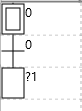
图4 Status transfer
อ่านเพิ่มเติม

