


Running Indicator Lights
Running indicator lights
Indicator lights of the touch screen consist of three LEDs, including Power (PWR), Run (RUN) and communications (COM), just as shown in Figure 1-17.
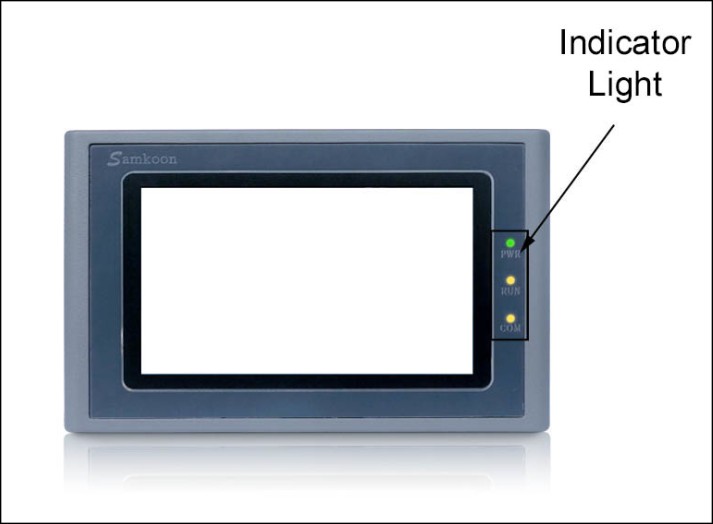
Figure 1-17 SK series Running Indicator Lights
PWR turns green when it is powered;
RUN turns yellow if CPU works normally while it lights out if CPU fails;
COM turns yellow when the touch screen is connected to PLC.
Table 1-1 shows the display states of the 3 LED indicator lights on different working state.
|
Device state |
Green LED(PWR) |
Yellow LED(RUN) |
Yellow LED(COM) |
|
No power supply |
○ |
○ |
○ |
|
Power on |
● |
||
|
CPU running |
● |
● |
|
|
Communication with connected device |
● |
● |
※ |
|
○:LED is OFF; ●:LED is ON; ※:LED is flashing |
|||
Table 1-1
อ่านเพิ่มเติม
อุปกรณ์ที่ใช้กับคู่มือนี้
2 รายการ

