


4.6 user password
After the user password (P00-12) function is enabled, the user holds the parameter setting permission, and other operators can only view and cannot change the parameter values.
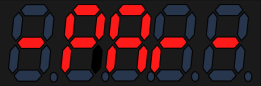
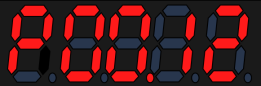
After setting the user password, it will take effect when powered on again. If P.lock is displayed when modifying other parameters, enter P00.12 parameter, press and hold the SET button, and then write the password again
Code | Name | Set range | unit | value | Effective Mode | Set mode | Relevant Mode |
P00-12 | Use password | 0~65535 | - | 0 | Effective immediately | Stop set | P |
P00-14 | Set password | 0~65535 | - | 0 | Effective immediately | Stop set | P |
- Attention: If you forget your user password, you can contact the factory technical support
The steps for setting a user password are as follows:

Figure 4.8 user password set diagram
อ่านเพิ่มเติม
อุปกรณ์ที่ใช้กับคู่มือนี้
1 รายการ
