


Import Library
Import library
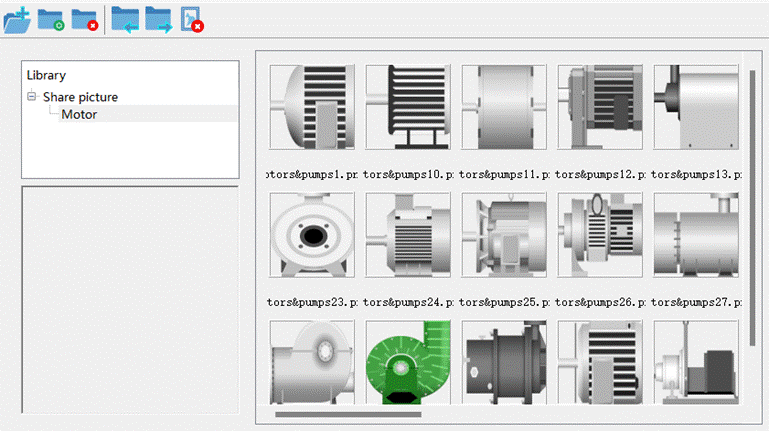
Importing a gallery allows editing of the shared gallery, adding and deleting picture folders and picture files. Contains "New Folder", "Import Picture Folder", "Delete Picture Folder", "Import Picture to Gallery", "Export Picture from Gallery", "Delete Picture" and other functions.
Select
"Import Library" in the drawing menu or click the "Import
Library" button in the toolbar with the left mouse button , a dialog box will pop up, as
shown in the figure:
, a dialog box will pop up, as
shown in the figure:
อ่านเพิ่มเติม
อุปกรณ์ที่ใช้กับคู่มือนี้
2 รายการ

