


lisanbaojing
In the expansion of the alarm login options, double-click the "new discrete alarm login" option, you can open the discrete alarm settings dialog box
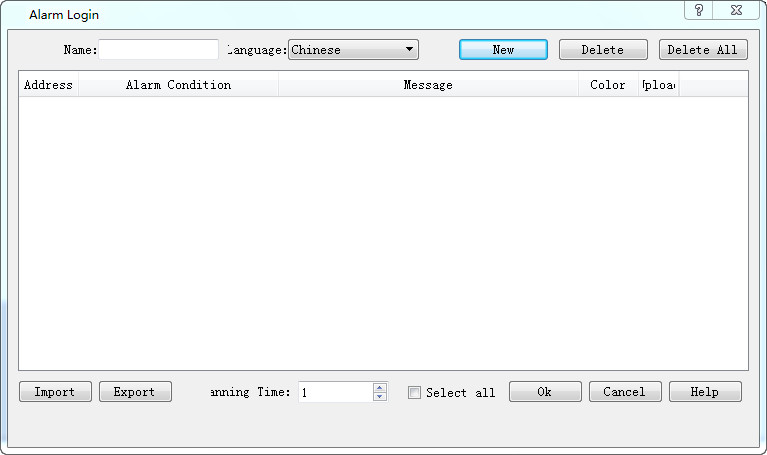
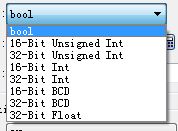
Ø New: a new alarm content, data categories can be freely selected
Ø Delete: delete an alarm content
Ø Delete all: delete all alerts
Ø Export: set up a good alarm content
Ø Import: import and set up the alarm content
New alarm setting screen:
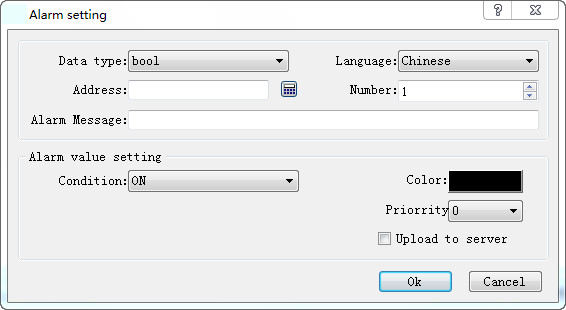
Ø Data categories: according to the need to choose the appropriate data categories to determine the alarm conditions
Ø Address: set the address that needs to be monitored and alarm
Ø The number of consecutive: according to the need to set whether the need for continuous N address monitoring
Ø Alarm information: the alarm information displayed when the address value is set to alarm condition
Ø Alarm condition: set the alarm condition of the address value, and the alarm condition is shown below:
u L bit ON alarm: when the data category is bool, the address is ON trigger alarm
u L bit OFF alarm: when the data category is bool, the address is OFF trigger alarm
u L fixed value alarm: when the address value is set value, the alarm is triggered
u L range alarm: when the address value is within the set range to trigger alarm
u L out of range alarm: when the address value is not within the set range, the alarm is triggered
Ø Alarm color: set the address value to trigger the alarm is the color of the alarm information
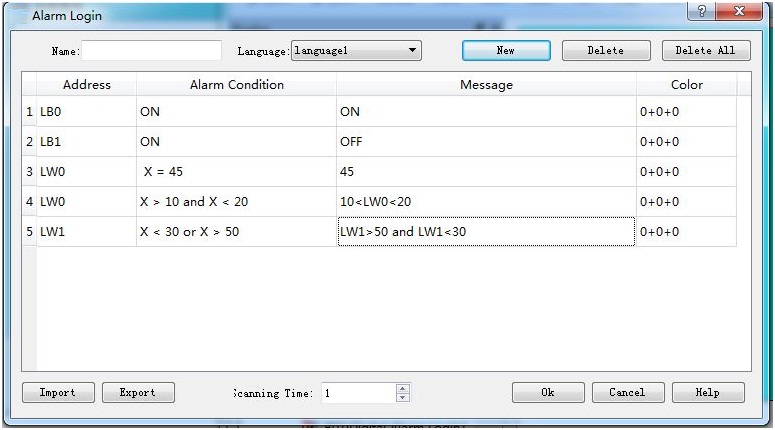

Analog alarm number: at present, SK series HMI can only set up 2 analog alarm
อ่านเพิ่มเติม

