


trigger_macro
Set a script that has been successfully compiled into an trigger script, executing this script when the assigned condition is triggered. The trigger condition include screen/window skip,and address value change.
Click "Trigger Script" on the menu "Setting", as shown in the dialog box:
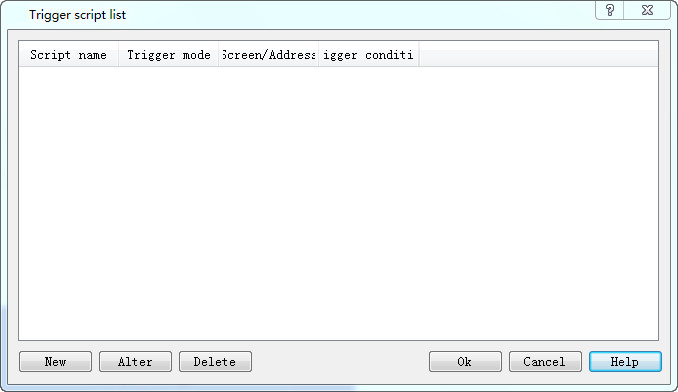
Figure7-45 Trigger Script dialog
Click the “New” button to pop up a new dialog. Then select a script is executed as a trigger script when the condition occur.
The trigger mode include address triggered and screen triggered.
Address Trigger:Set a Bit Address,select a trigger mode,include of OFF->ON,ON->OFF,OFF<->ON,Immediate execute when the status is ON.
Screen Trigger:Set a screen Name as trigger condition,select a trigger mode,include of Open Screen and Close Screen.
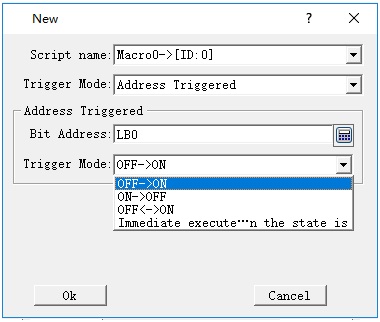
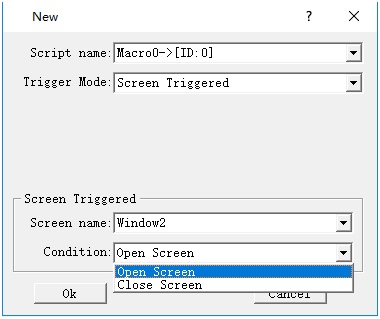
Figure7-46 new trigger script
You can use “Alter”and “Delete”button to operate the scripts,finally create a trigger script list.
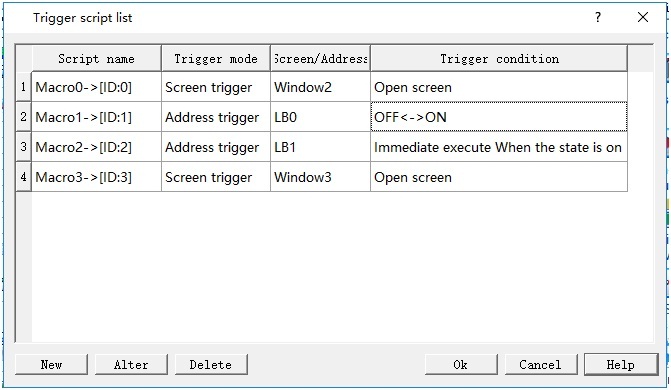
Figure7-47 trigger script list
อ่านเพิ่มเติม

