


Theme
Ø add post topic
· general page
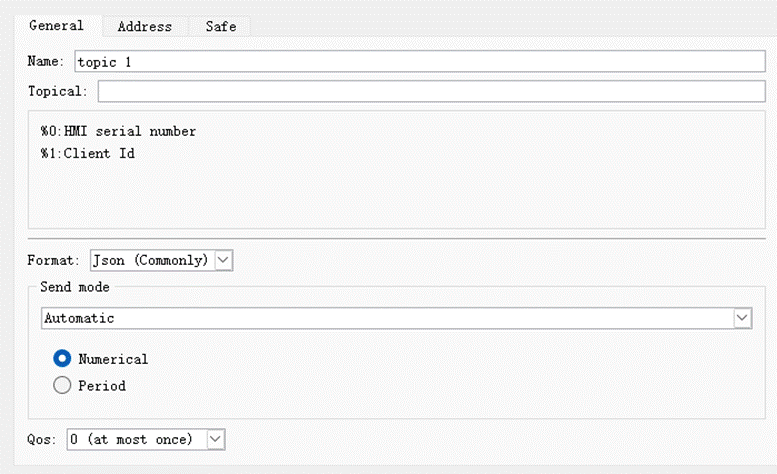
- Name
Set the project name of the MQTT topic
- Topic
When sending a message, the topic received by the MQTT server
- Format
[JSON (General)]: The data is in JSON format with list structure.
[JSON (advanced)]: JSON format that can flexibly customize the tree structure.
- Send mode
■ automatic
Cycle change method: The content of the monitoring address will be transmitted periodically.
■ bit trigger
When specifying a bit address is triggered, the content is transmitted.
· Address (JSON general)
It can be set when [JSON General] is selected as the format on the [General] page.
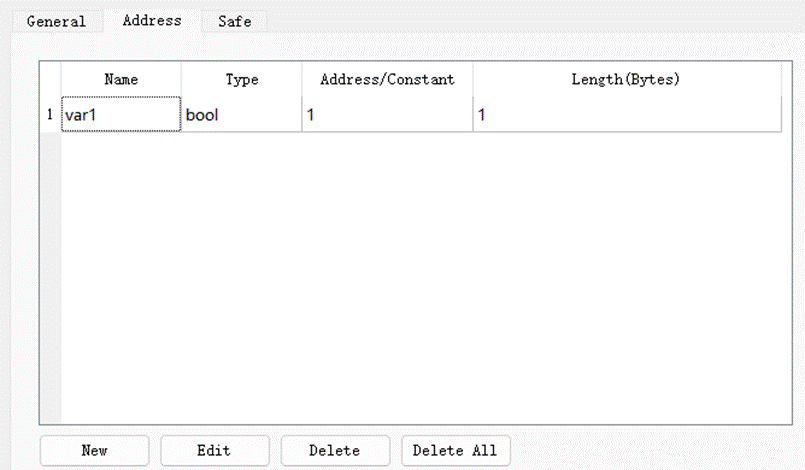
Add a value. Bit or word type can be set, it can be a fixed value or read data from a specified address.
· Address (JSON Advanced)
It can be set when [JSON Advanced] is selected as the format on the [General] page.
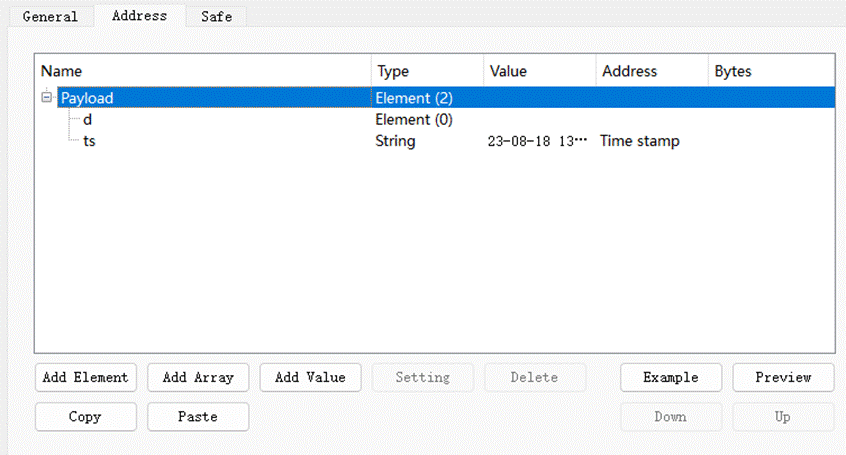
The address setting supports a tree structure, which can be in the form of components, arrays, etc., and the time stamp and data name can also be customized.
- element
Add a data element. A component can contain multiple data formats, and each data format has its own name and value.
The data of the element is enclosed in braces { }.
- Array
Add a data array. Arrays can contain multiple data formats, but only have one name.
Component data is enclosed in square brackets [ ].
- value
Add a value, string or timestamp. When it is a value or a string, it can be a fixed value or read data from a specified address.
- template
Convert from user-edited custom JSON text to tree data
- Preview
Convert the current tree data into JSON text
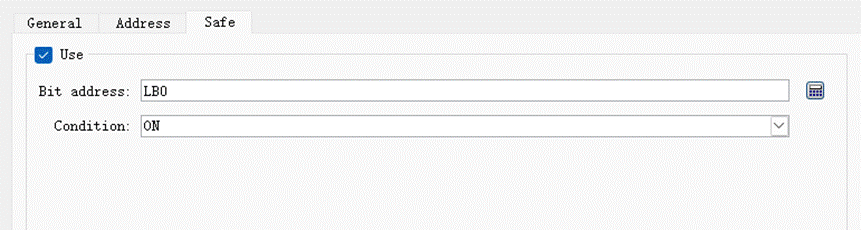
· Security Page
After enabled, it takes effect when the set bit address meets the trigger condition.
Ø Add subscription topic
· General page
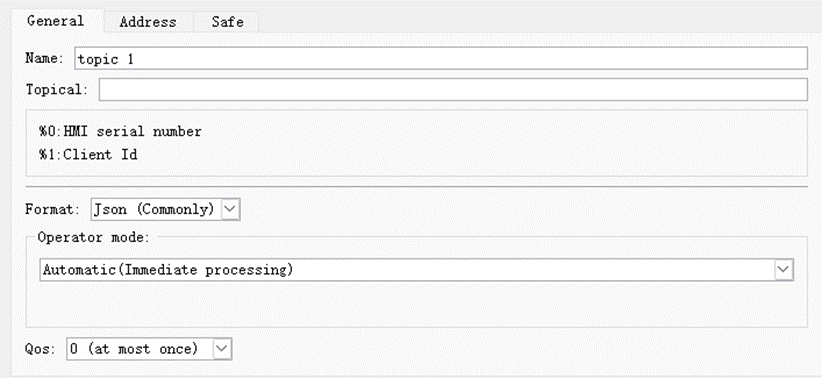
- Name
Set the project name of the MQTT topic
- Topic
Topic subscribed from MQTT server
- The format is
- Operation mode
■ automatic
automatically.
■ Manual
Manually set the specified address to execute.
· Address page
· Security Page
อ่านเพิ่มเติม

