


HMI State
HMI state
HMI state setting is employed to write the current HMI state information to the data register of PLC.
Double click the "HMI State" item in the Project Manager, a dialog box will pop up as shown in Figure 7-7:
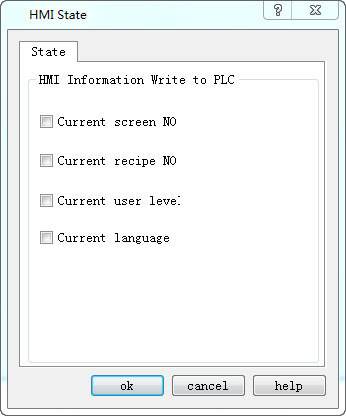
Figure 7-7 HMI Status Setting
l Current screen NO: Write the serial number of the current HMI screen to the PLC.
l Current formula NO: When the serial number of the current formula to the PLC.
l Current user level: Write the current user level to the PLC.
l Current language: Write the serial number of the currently applied language to the PLC
Click "OK" HMI to complete the settings.
อ่านเพิ่มเติม
อุปกรณ์ที่ใช้กับคู่มือนี้
2 รายการ

