


1. Insert a double horizontal line
Insert a double horizontal line by following one of the following steps:
Click on the toolbar at the top of the SFC editor
。
Double click on the grid area where you want to insert the component and click on it in the button group
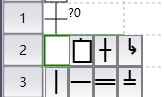
- Press the F8 hot key.

Afterwards, the editor will display a simulated dashed line, which can be elongated by moving the mouse. Click the mouse to turn the dotted line into a solid line.
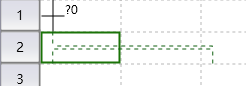
图1 virtural line
At this point, the double horizontal line has been added.
Double horizontal lines are mainly used to connect multiple transfers, so be aware of illegal scenarios.
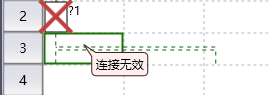
图2 Illegal Scene
อ่านเพิ่มเติม
อุปกรณ์ที่ใช้กับคู่มือนี้
2 รายการ

