


OPC device driver
OPC UA (Unified Architecture) is a communication standard for the industrial automation industry. It has the characteristics of data communication not limited to platforms, unified access mechanisms, communication standardization and security credential mechanisms. The steps to set up OPC UA are as follows:
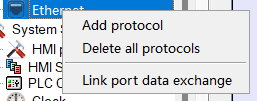
1. click Add a protocol under the Ethernet port, and select OPC as the connection service.
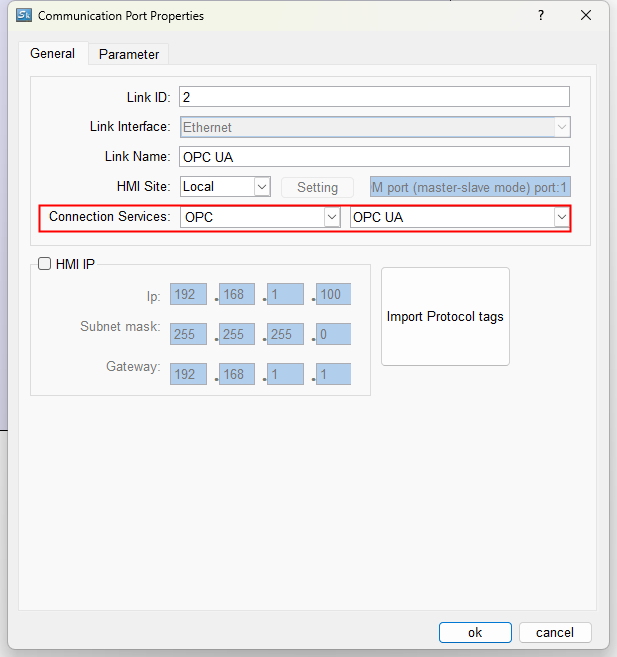
1. Click Import Protocol tags to edit its property
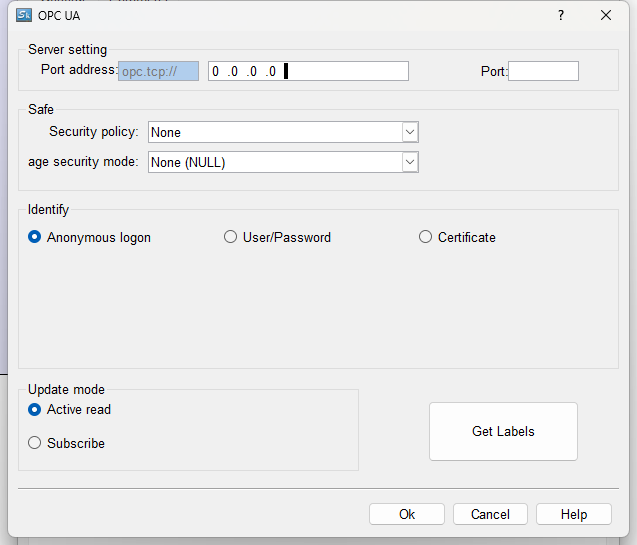
l Port Address: OPC Server address
l Port:OPC Server Port
l Security policy:supporting None、 Basic128RSA15、Basic256
l Security mode:supporting None、Sign、SignAndEncrypt
l Identify:supporting Anonymous login, username/password login, certificate login
l Update mode: supporting active reading and subscription (interval time can be set)
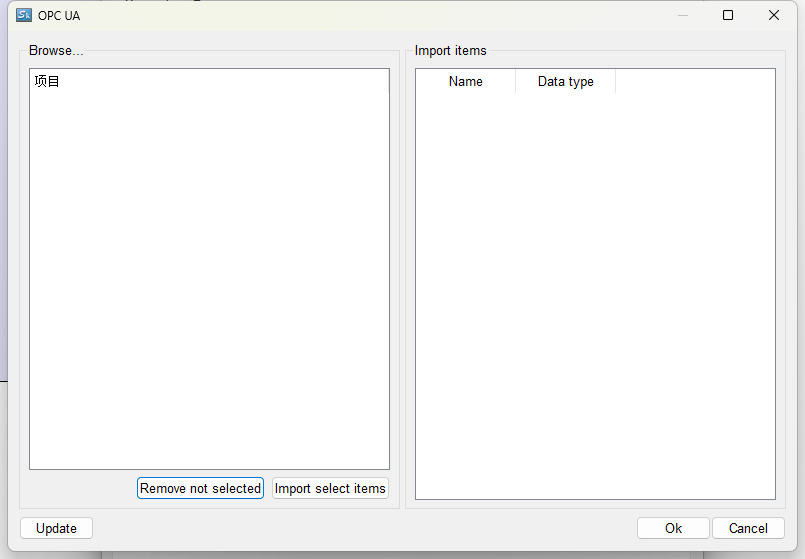
l Get labels: Click Get labels to set communication tags as fallow:
อ่านเพิ่มเติม
- การอ่านค่าเซนเซอร์ผ่าน HMI ด้วย Modbus RTU/RS485เรียนรู้วิธีการ Config HMI ให้อ่านค่าเซนเซอร์โดยตรงผ่าน Modbus RTU/RS485 ไม่ต้องใช้ PLC เป็นตัวกลาง พร้อมการตั้งค่า Slave ID และการต่อสาย RS485
- การเชื่อมต่อ HMI กับ PLC ผ่าน Ethernet LAN แบบละเอียดคู่มือการเชื่อมต่อ HMI กับ PLC ผ่าน Ethernet LAN ด้วย Modbus TCP/IP การตั้งค่า Network IP Address และการ Config SAMKOON HMI PLC อย่างครบถ้วน

