


1. Pulse segment switching PLSNEXT
ในหน้านี้4 หัวข้อ
1.1. Instruction Description#
- When the PLSR/EPLSR command pulse output reaches the highest frequency of the current segment and stabilizes, the PLSNNEXT command can switch to the next frequency segment. If M0 changes from OFF to>ON, it immediately enters the next segment of pulse output with acceleration and deceleration time.
1.1.1. Attention:#
During the acceleration and deceleration process of pulse output, executing this command is invalid; When the last pulse reaches the highest frequency and stabilizes the output, execute the PLSNNEXT command to immediately end the pulse output with a deceleration time;
This instruction can only switch pulse segments for PLSR/EPLSR instructions;
The PLSNNEXT instruction can only use edge triggering, otherwise it will cause pulse transmission disorder.
1.2. The valid operands of the instruction#
| Input/Output | Data Type | operand | Description |
|---|---|---|---|
| OUT | ON/OFF | Y | Pulse |
1.3. Example#
Command table:
NETWORK 000
LD M8151
MOVD K100000 D0//The highest frequency of the first pulse is 100KHz
MOVD HFFFFFFF D2//The number of pulses in the first segment is the maximum value, and the pulses are continuously output when the frequency is stable, waiting for the PLSNNEXT instruction
MOVD K200000 D4//The highest frequency of the second pulse is 200KHz
MOVD K9999999 D6//2nd segment pulse count 9999999 PLS
FMOVD K0 D8 K2//Pulse segmentation completion flag
MOVD K100 D100//Acceleration and deceleration time 100ms
NETWORK 001
LD M0
PLSR D0 D100 Y000 Y010//When M0 is set, the PLSR instruction starts working
NETWORK 002
LDF M8134//Pulse transmission completed
RST M0 K1//Reset M0
NETWORK 003
LDP X000//X000 rising edge trigger
PLSNNEXT Y000//Y000 pulse segment switching
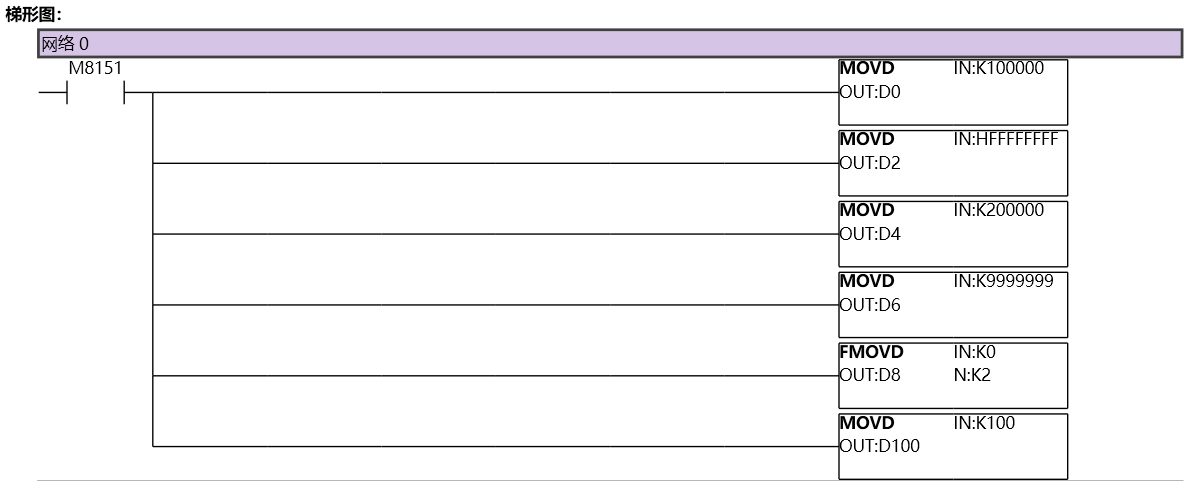
图1 PLSNEXT11
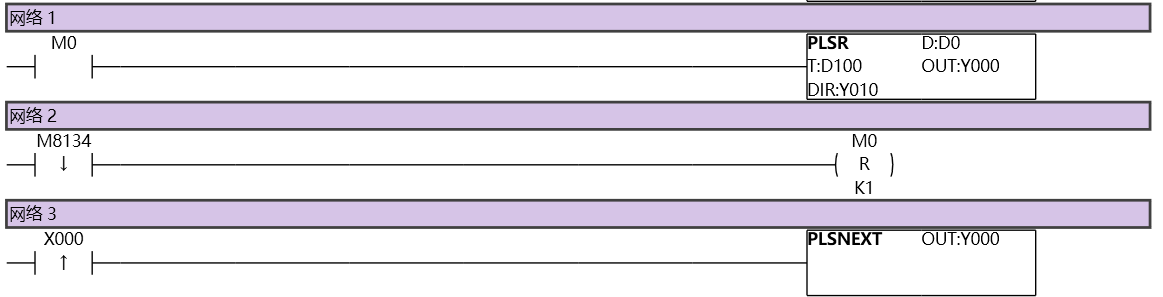
图2 PLSNEXT12
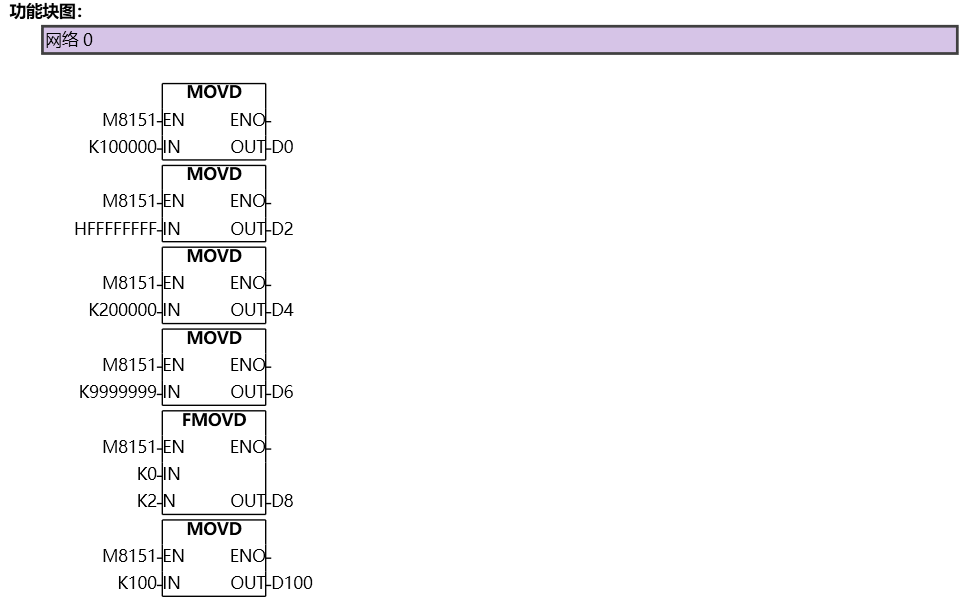
图3 PLSNEXT13
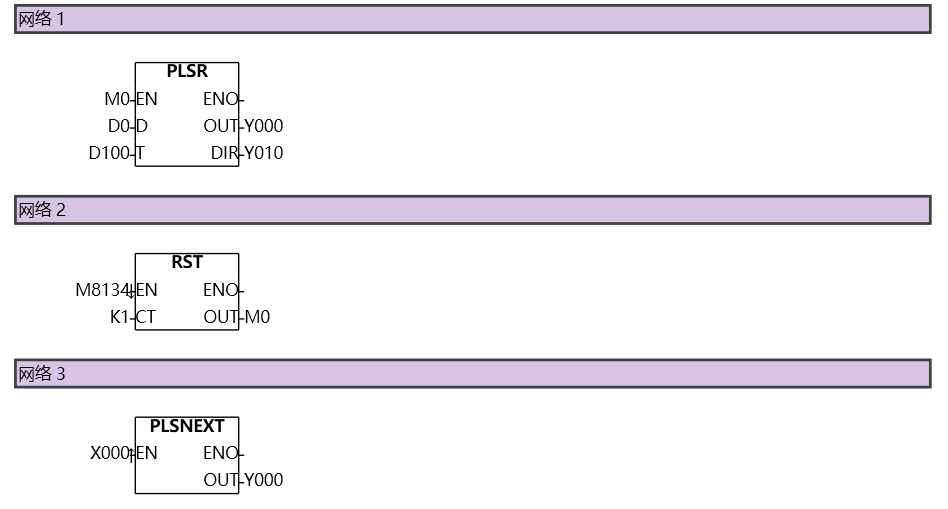
图4 PLSNEXT14
อ่านเพิ่มเติม
- คำสั่งควบคุม Servo Motor ด้วย PLC-Samkoon | EDRVI และ EDRVAเรียนรู้การควบคุม Servo Motor ด้วย PLC-Samkoon ผ่านคำสั่ง EDRVI (Incremental) และ EDRVA (Absolute) พร้อมเทคนิคการปรับพารามิเตอร์ระหว่างการทำงาน
- คำสั่ง PLSF ควบคุม Servo Motor PLC - การหมุนต่อเนื่องเรียนรู้คำสั่ง PLSF ใน PLC สำหรับควบคุม Servo Motor แบบหมุนต่อเนื่อง ปรับความเร็ว Real-time พร้อมตัวอย่างโปรแกรม วิธีตั้งค่า และเทคนิคการแก้ปัญหา

